
Give every asset a clearer story.
Organize work and evidence around assets, systems and locations, so the next team can understand what happened and what still needs attention.
A connected view of asset activity.
Quality and inspections
Put observations, checklists and issues in their asset context.
Testing and commissioning
Organize the records that support system readiness.
Handover
Bring accepted information together for the next team.
Operational work
Continue the asset record through work orders and operational activity.
Show the asset behind the status.
Every asset carries its identity, its location, its progress through test and commissioning, its findings and its work orders. A status is only useful when the record behind it is one click away.
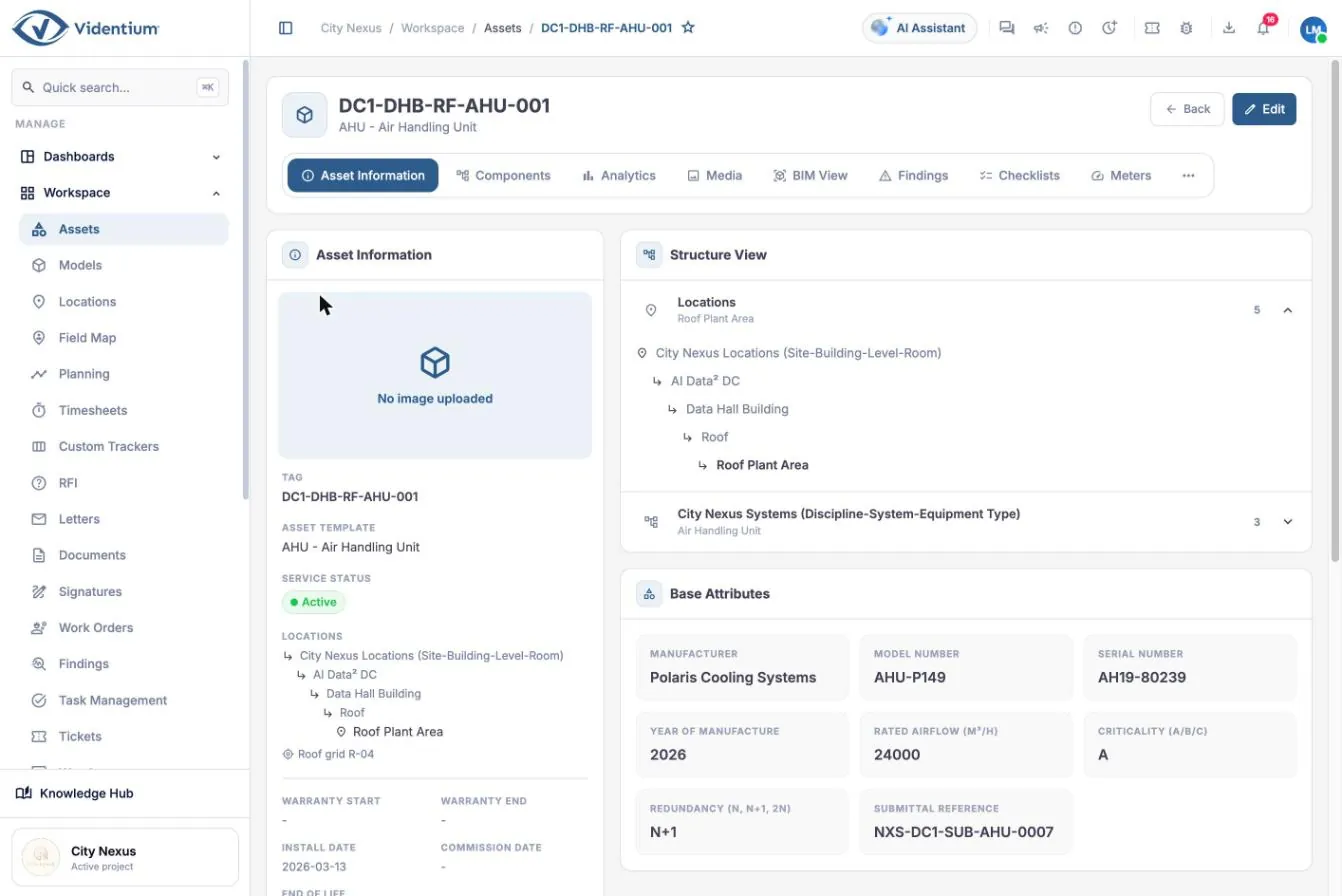
Identity, place, progress and evidence on one record.
The asset tree gives every item a place in the discipline, system and equipment-type hierarchy. Progress through test and commissioning levels, quality findings, work orders and warranty dates are read from the same record, and each links to the activity behind it.
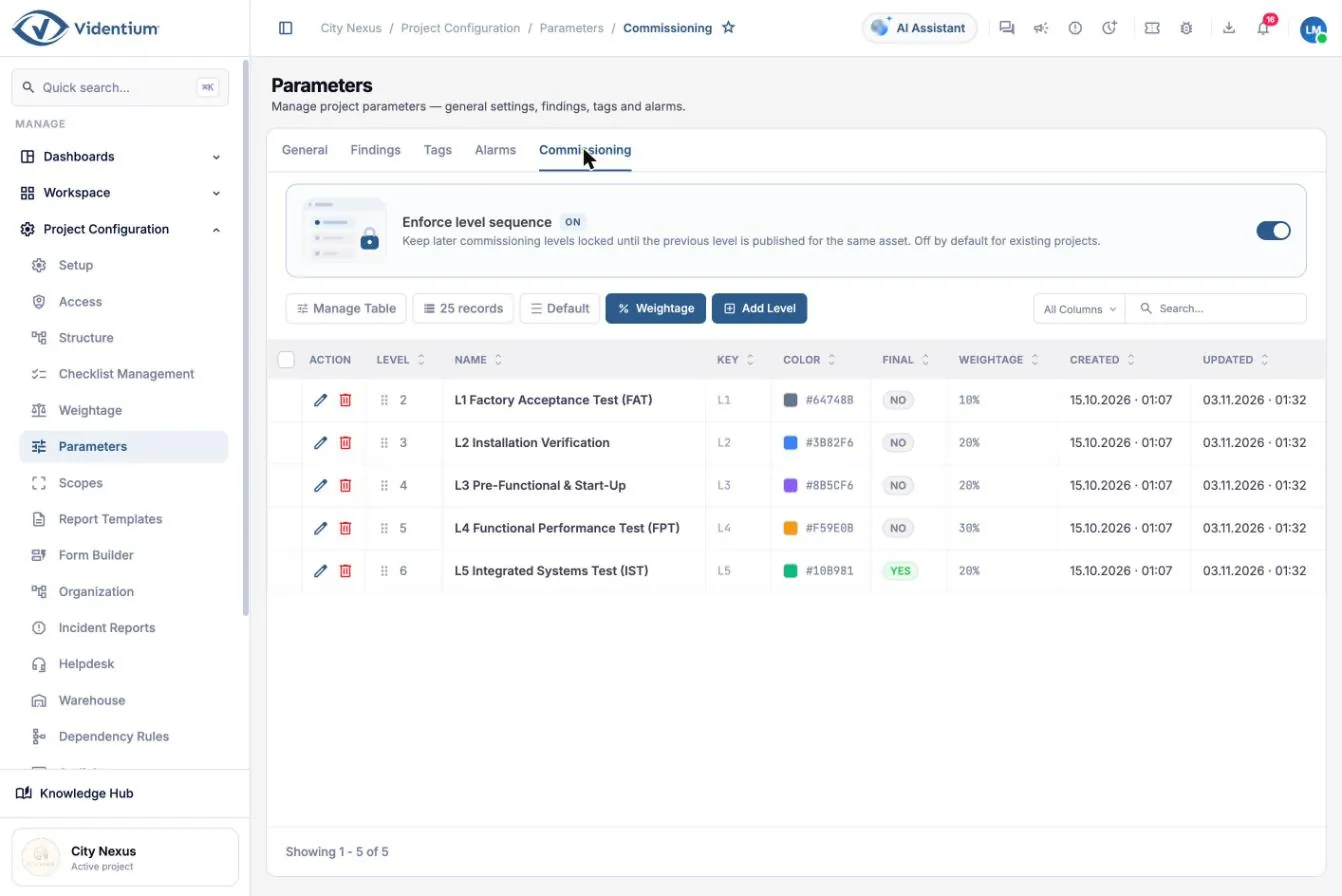

Keep field work connected to the wider project.
Inspections, findings and work orders are recorded against the asset and location where the work happens, and the review that follows sees the same record. Teams sharing their position appear on a site map so coordinators know who is on site.
- ObserveRecord the inspection against the asset and location, with photos and checklist results.
- ReviewThe responsible team sees the evidence, resolves the finding and records the outcome.
- AcceptThe accepted record stays linked to the asset for handover and operations.
Bring one asset example.
Bring a sample inspection template, an asset hierarchy and a typical issue-to-review route. A walkthrough built on your own example is more useful than a generic tour.
Start with the work you need to improve.
Tell us about your processes, teams and project context. We will shape a focused Videntium walkthrough around them.