EnglishEN

What the platform does, in the detail that matters.

From project structure to handover and operation: the capabilities of Videntium UP and Videntium Flex, with the engineering reason behind each one and the product screens to see them in.

One record, three phases.

Every asset passes through construction, commissioning and operation. A different team creates data about the same object in each. Videntium keeps it on one record, so nothing is lost at handover.

  1. UP · QC

    Construction

    Is it installed as designed and specified?

    Contractor QA/QC, consultant

    Quality control

  2. UP · TC

    Commissioning

    Does it work, alone and as a system, under real load?

    Commissioning authority, contractor, vendor

    Testing and commissioning

  3. UP · FM

    Operation

    Is it maintained, available and safe?

    FM operator, helpdesk, stores

    Facility management

Explore by area of work.

Each area lists what it does, why it matters in engineering terms, and the product screens that show it.

Platform

Project structure

Describe the project once: who is involved, where things are and how equipment is classified. Everything else reads from this structure.

  • Stakeholder register with company type and logo
  • Location hierarchy: site, building, level, room
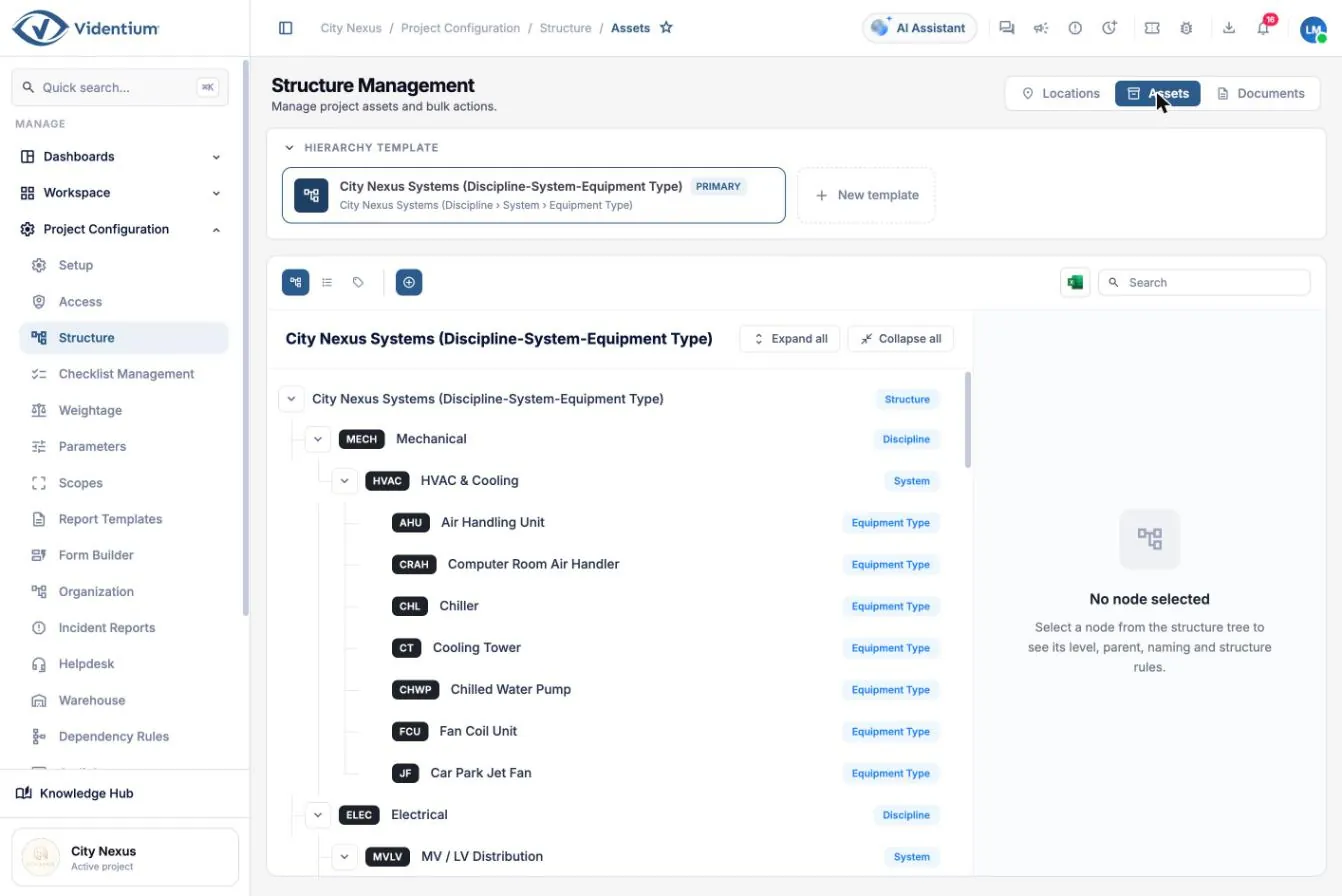
  • Asset structure: discipline, system, equipment type
  • Asset templates with attributes and linked checklists
  • Naming conventions that generate codes automatically
  • Scopes of work by trade package, linked to QC, TC and FM

Why it matters. Responsibility on a project is contractual and handover happens area by area. A clean structure makes it clear who must act and lets you report progress per area and per company.
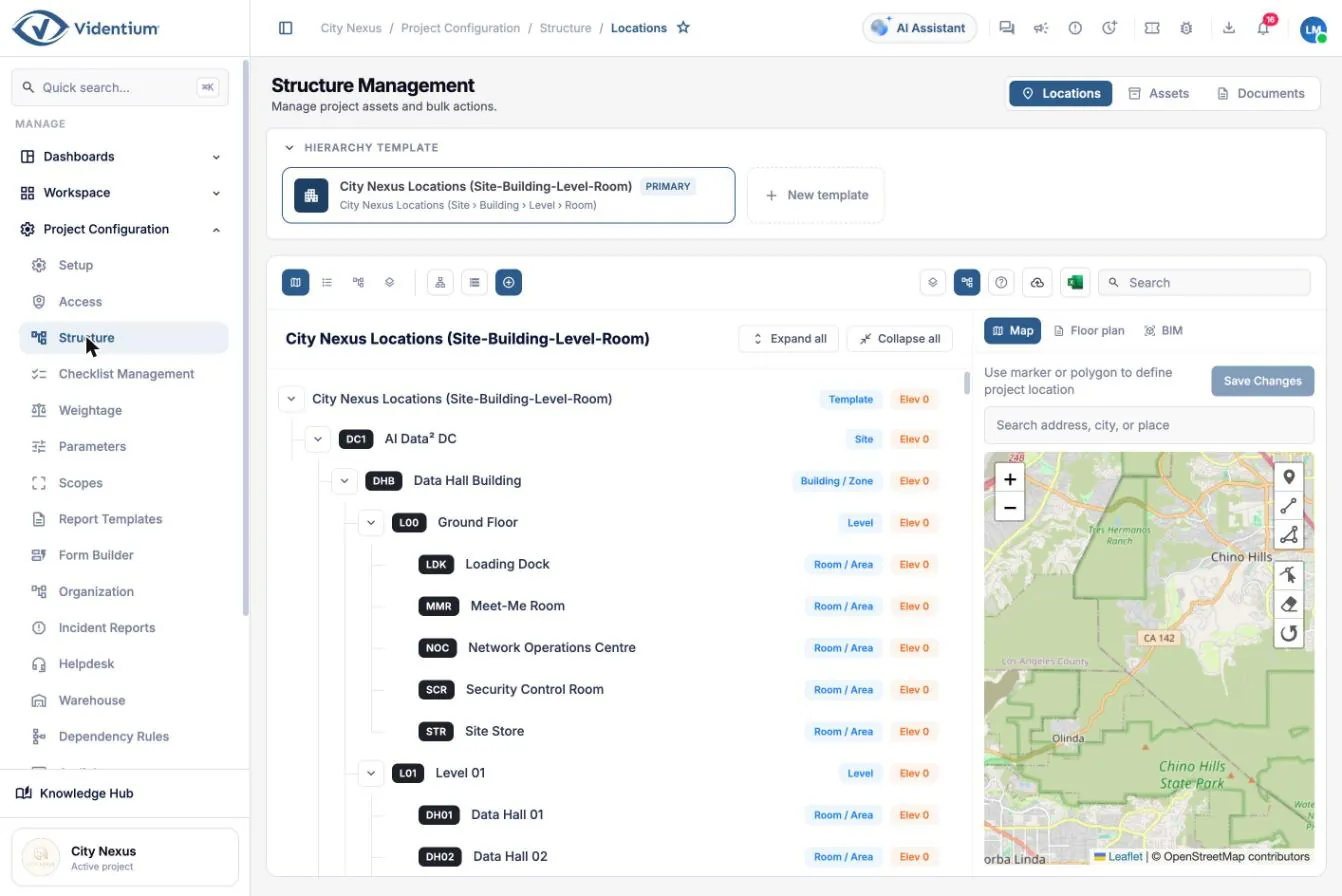
Structure management screen showing a site, building, level and room hierarchy beside a map
Structure management: the location hierarchy with map positioning. Open full size (opens in a new tab)
Asset structure tree grouping equipment by discipline, system and equipment type
Asset structure: discipline, system and equipment type. Open full size (opens in a new tab)
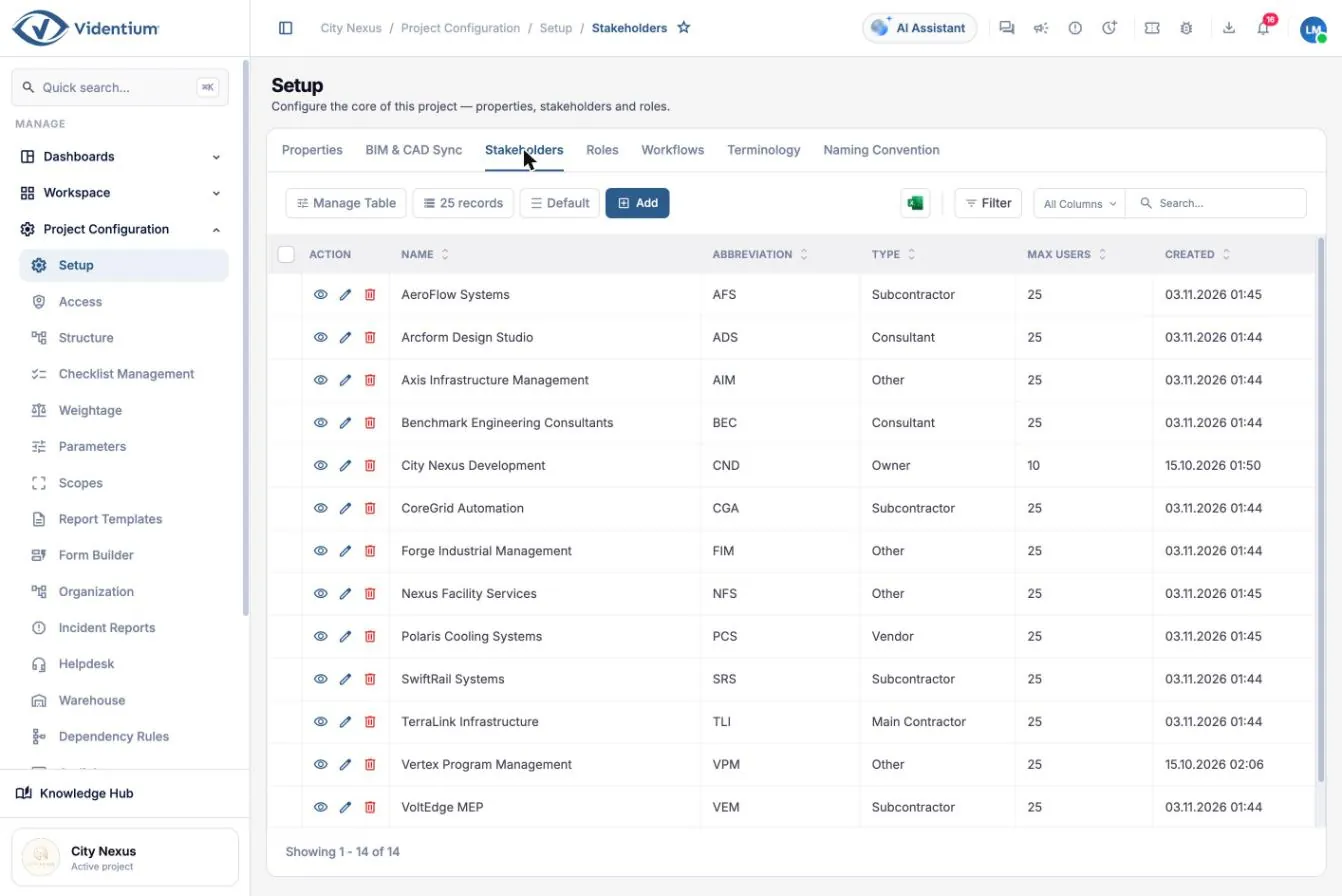
Stakeholder register listing project companies by type
Stakeholder register with company type. Open full size (opens in a new tab)
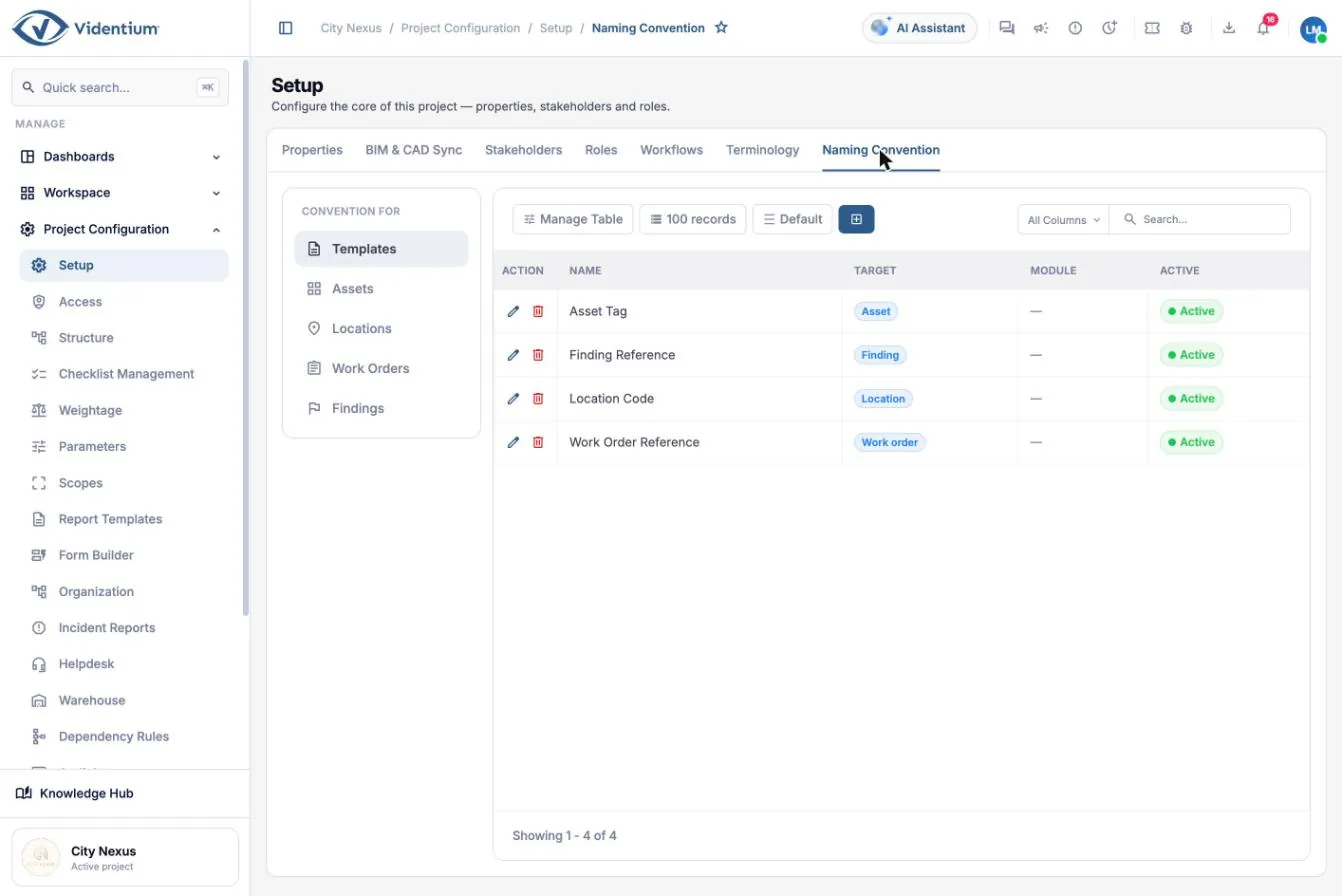
Naming convention settings for assets, findings, locations and work orders
Naming conventions for asset tags, findings, locations and work orders. Open full size (opens in a new tab)
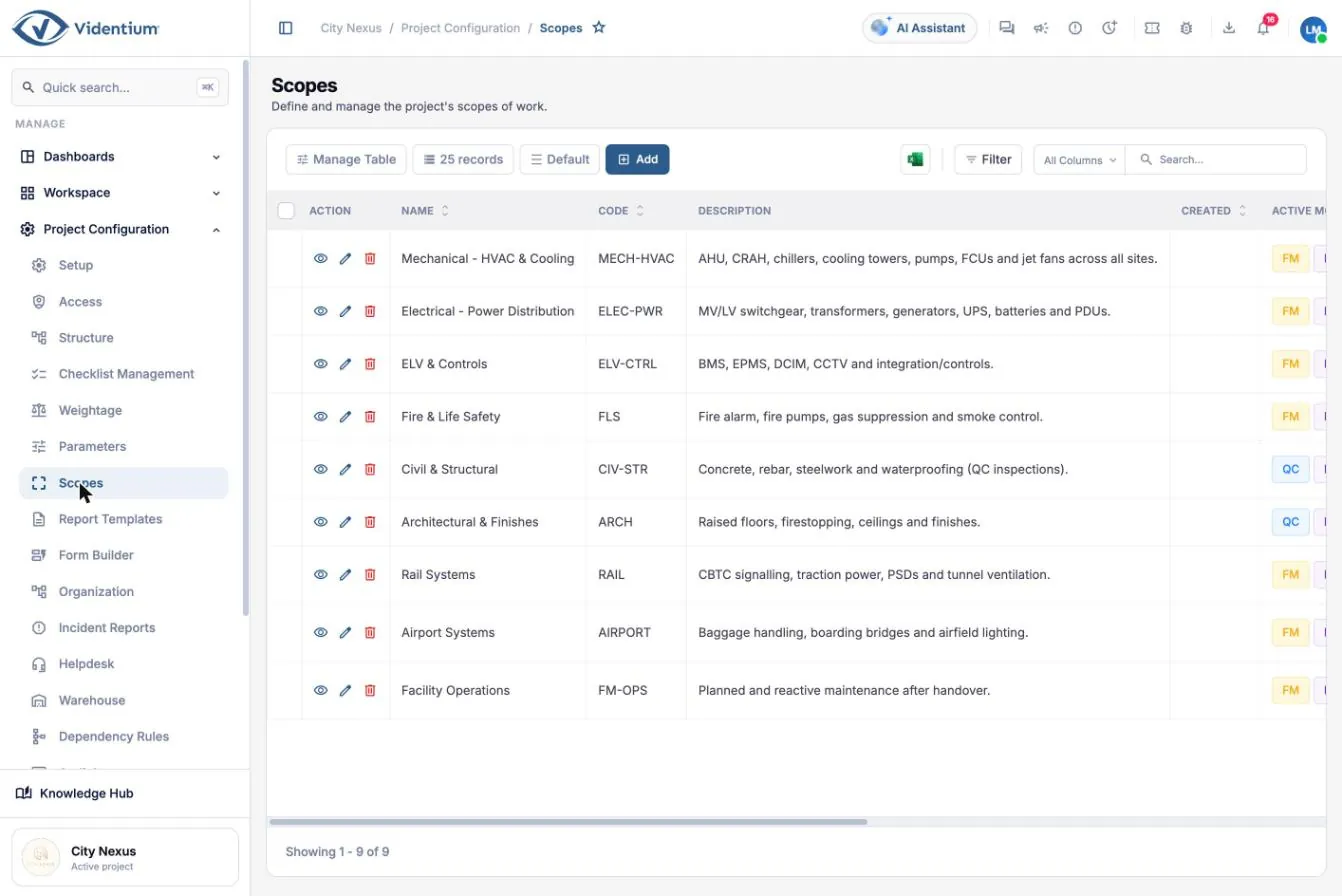
Scopes of work listing trade packages and the modules that apply to each
Scopes of work by trade package. Open full size (opens in a new tab)
UP

Assets and locations

One record per physical item, with its full history attached: inspections, tests, findings, documents and maintenance.

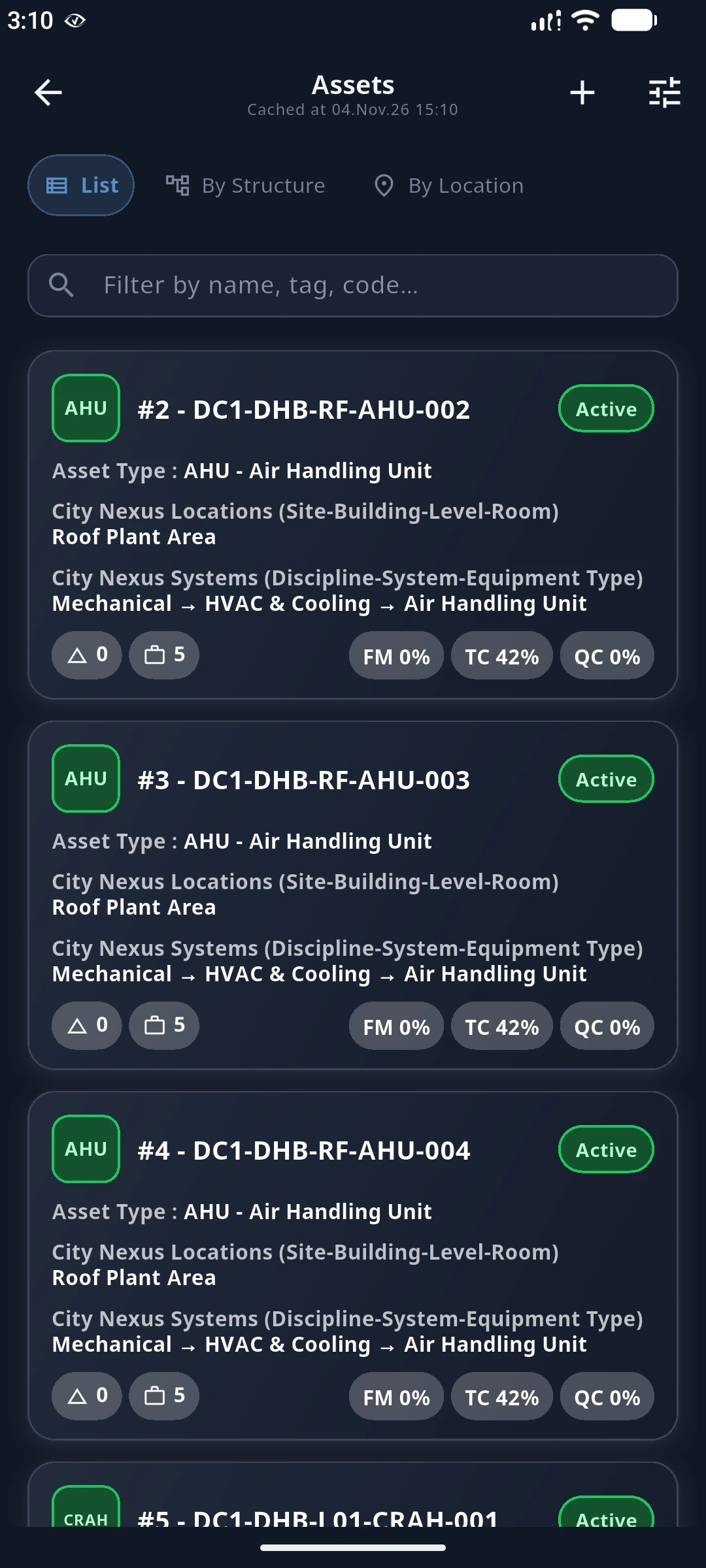
  • Asset register with live testing and quality progress
  • Relations between assets, ER diagram, asset tree and alarms
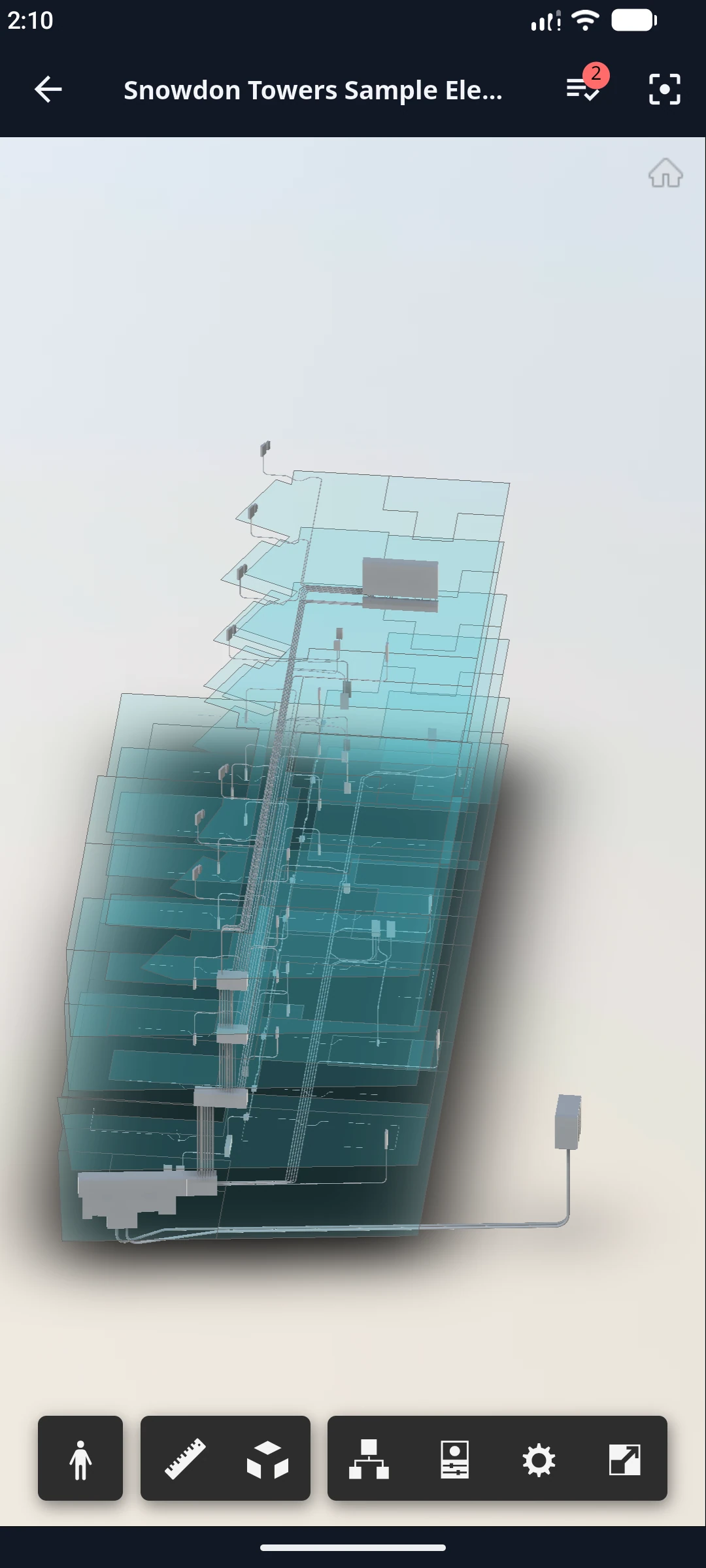
  • Asset detail: information, components, analytics, media, BIM view, findings, checklists, meters
  • Unique asset tags built from site, building, level and type
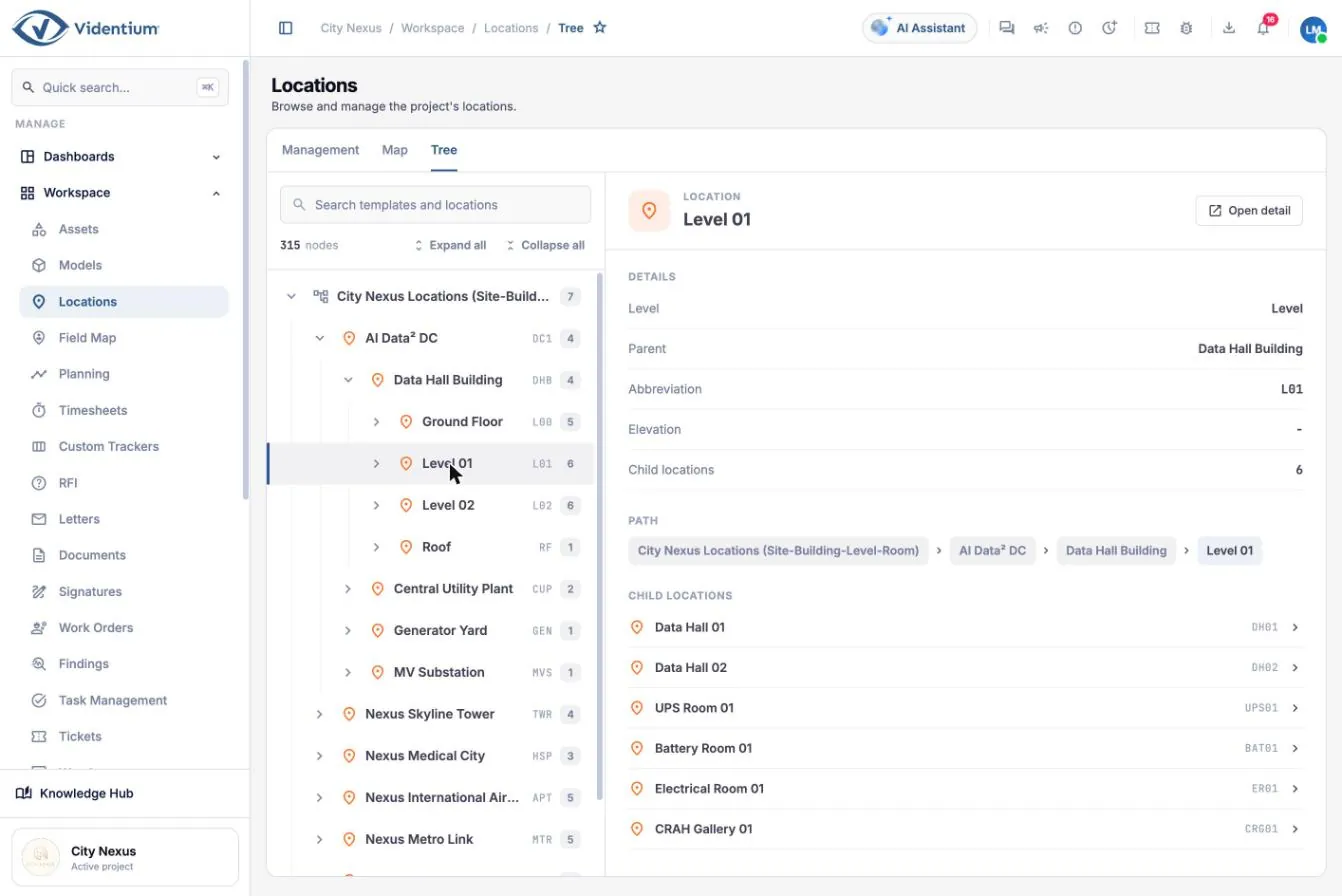
  • Locations as list, map and tree
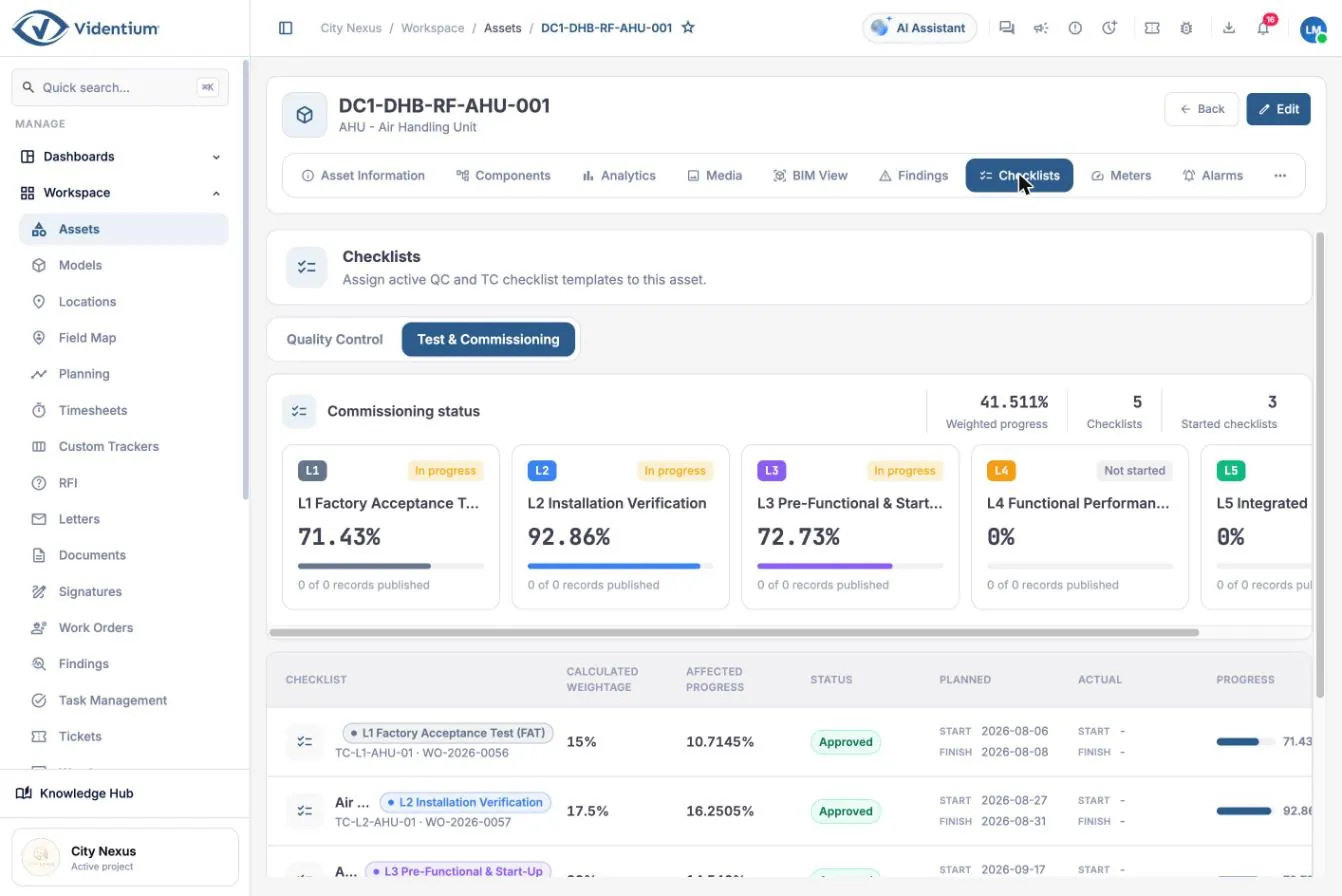
  • Commissioning status shown per level on each asset

Why it matters. When phases use separate tools, an asset’s history is lost at every handover. One record keeps warranty claims, root-cause analysis and safe operation grounded in evidence.

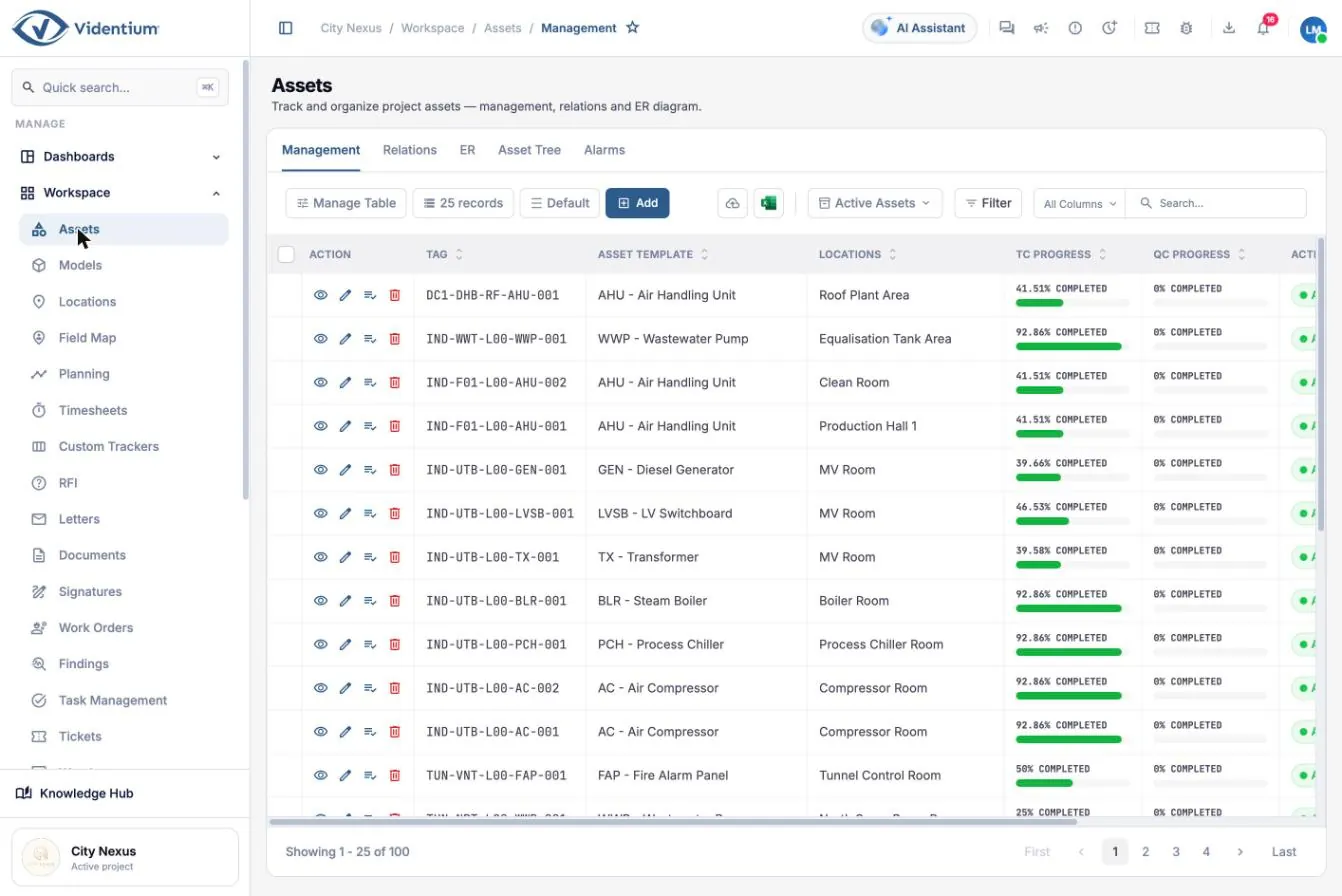
Asset register table showing tag, template, location and progress columns
Asset register with testing and quality progress per asset. Open full size (opens in a new tab)
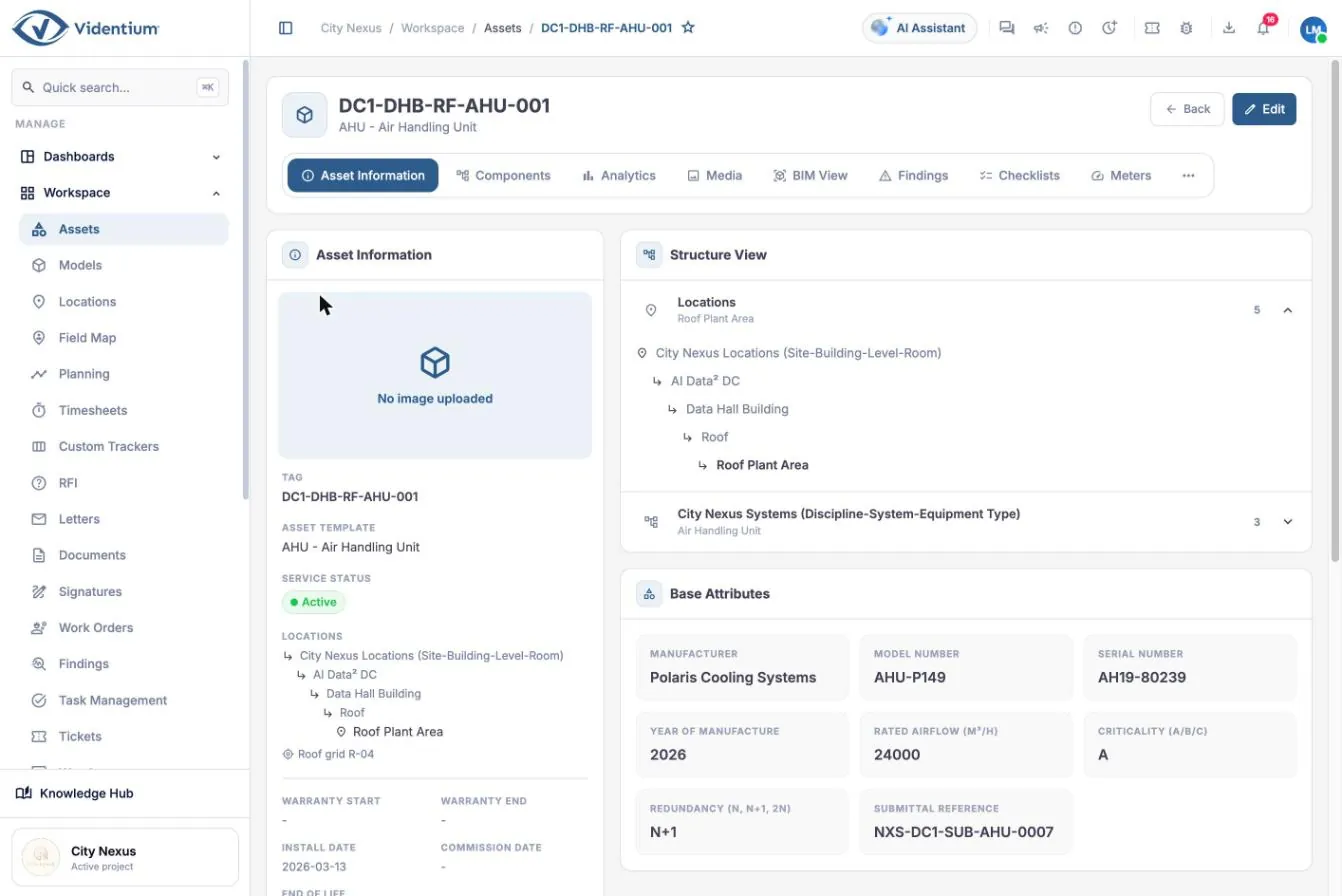
Asset detail page for an air handling unit with attributes and location path
Asset detail: attributes, location path and structure view. Open full size (opens in a new tab)
Checklists tab showing commissioning progress by level for one asset
Commissioning status per level for one asset. Open full size (opens in a new tab)
Location tree view with details and full path of the selected room
Location tree with the full path of a selected location. Open full size (opens in a new tab)
UP · TC

Testing and commissioning

Prove that the facility performs as the owner requires, level by level, with measured evidence rather than ticks.

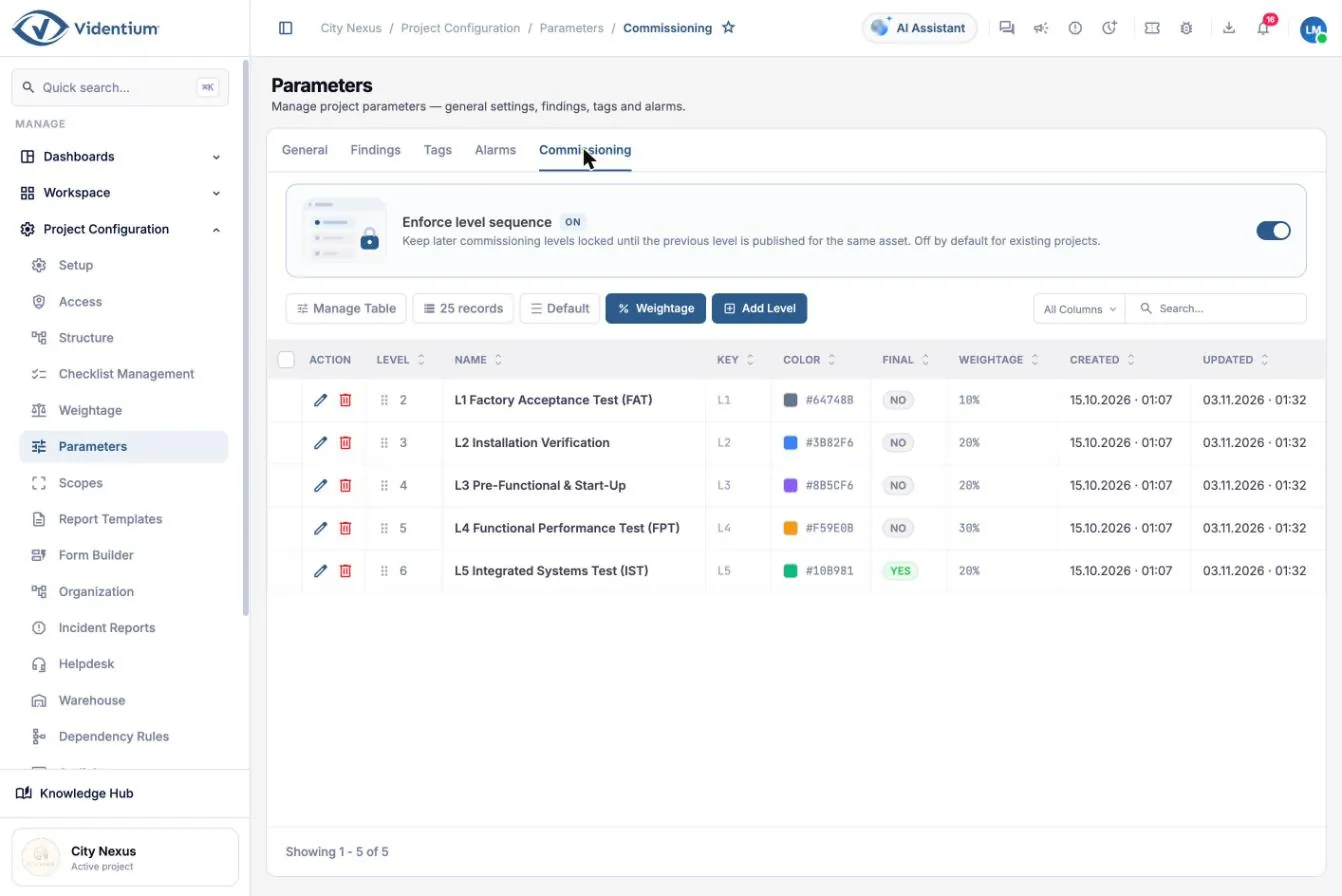
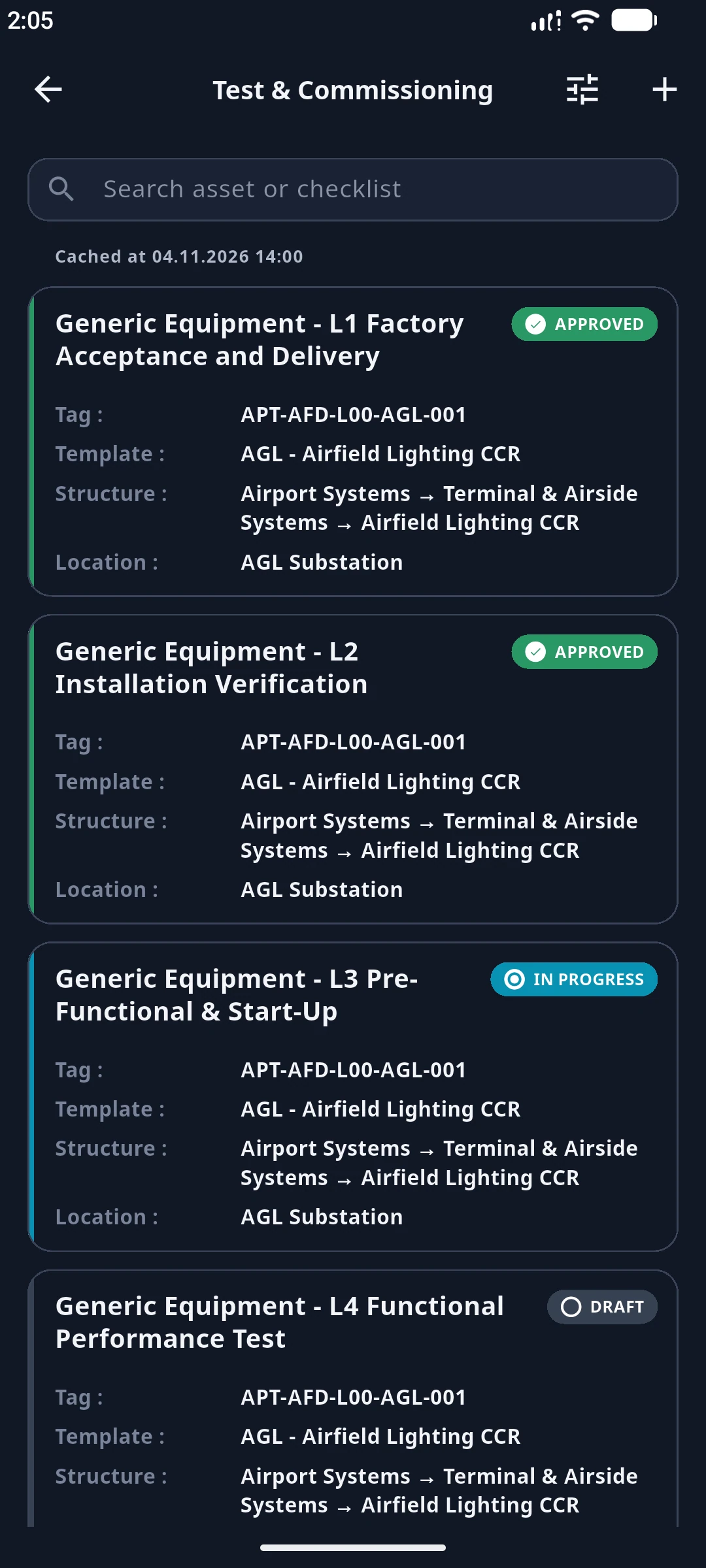
  • Commissioning levels from factory acceptance to integrated systems test
  • Optional level sequence enforcement so tests cannot be skipped
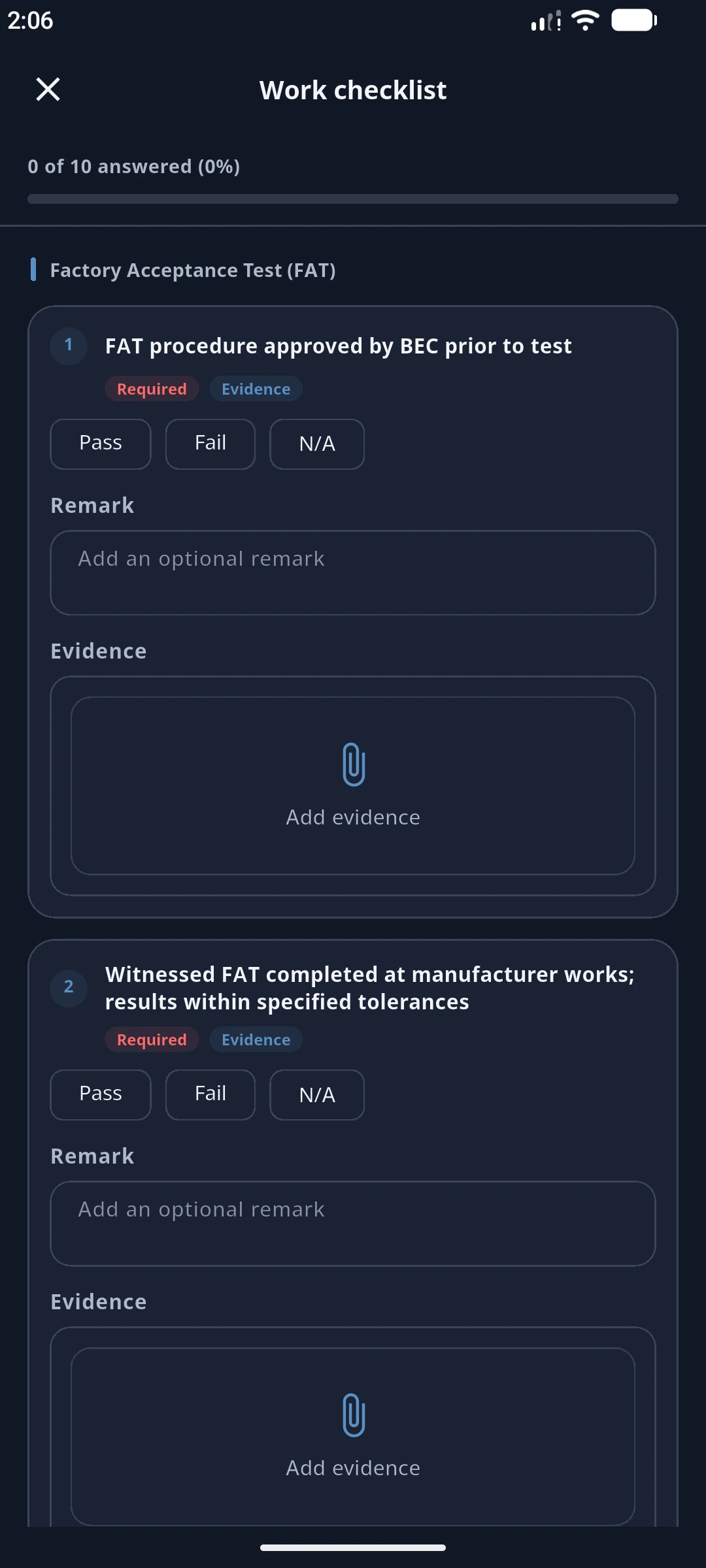
  • Checklist library with sections and typed questions: choice, number with unit, text, date
  • Required remarks and photo evidence, with remark pools for consistent wording
  • Assignment of checklists to structure nodes, with draft work orders created automatically
  • Weightage that rolls answers up to the project figure

Why it matters. Testing is cumulative: a functional test means little if installation was never verified. Sequencing and weighting keep reported progress honest.

Commissioning levels configuration showing five levels, their weights and the enforce-sequence switch
Commissioning levels with weightage and the level-sequence switch. Open full size (opens in a new tab)
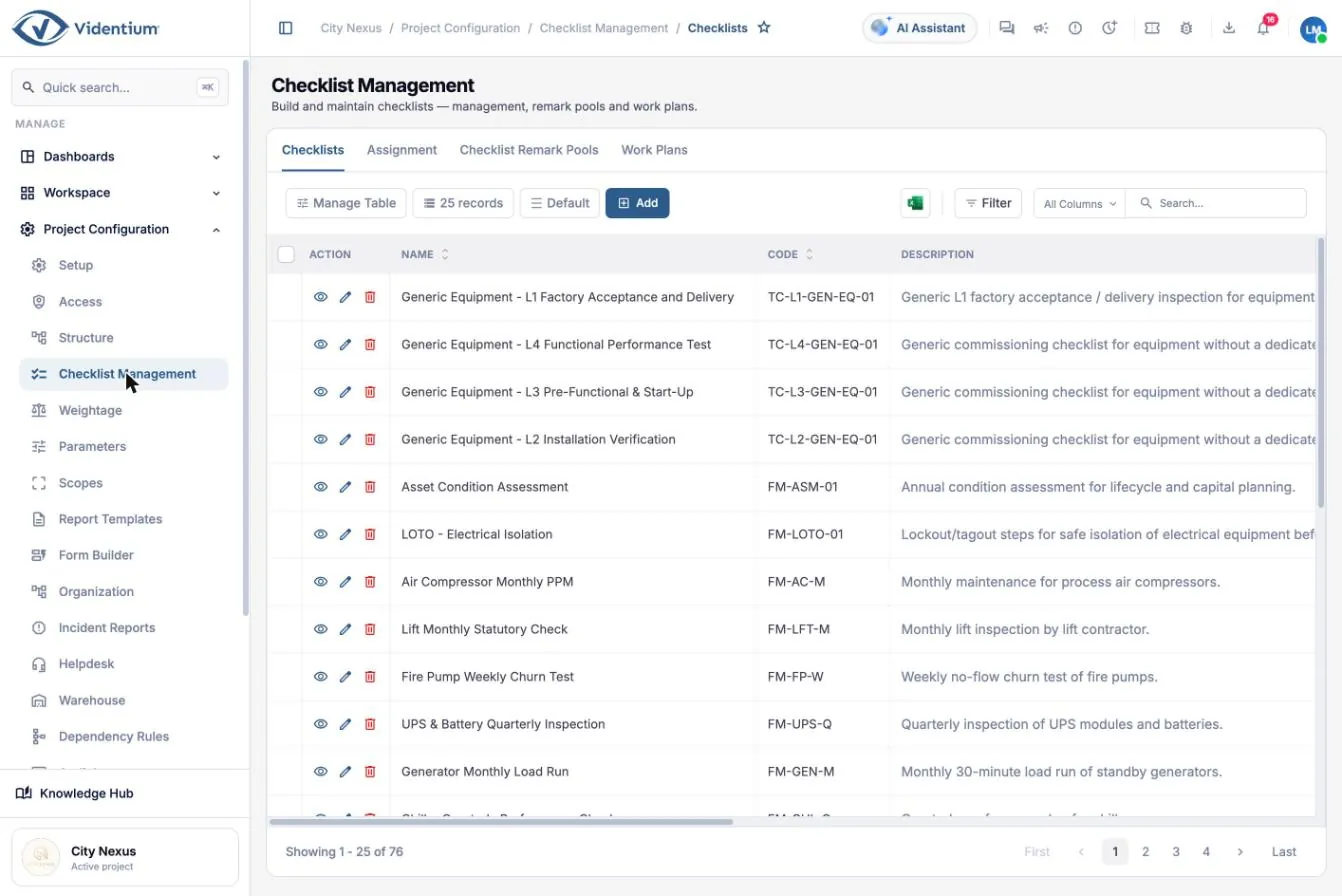
Checklist library listing codes, modules and importance scores
Checklist library by module and code. Open full size (opens in a new tab)
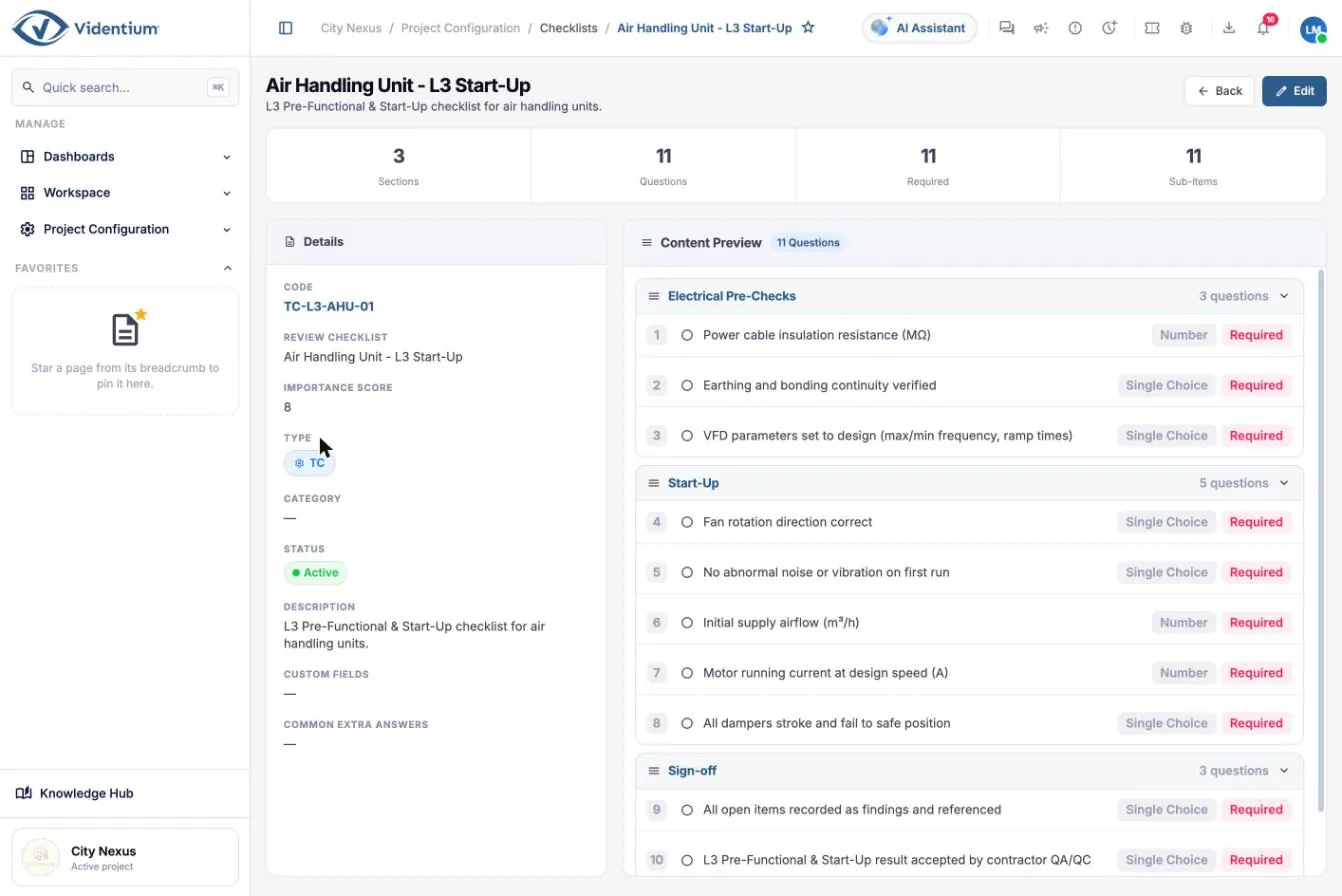
Content of a start-up checklist with sections and questions
Checklist content: sections and typed questions. Open full size (opens in a new tab)
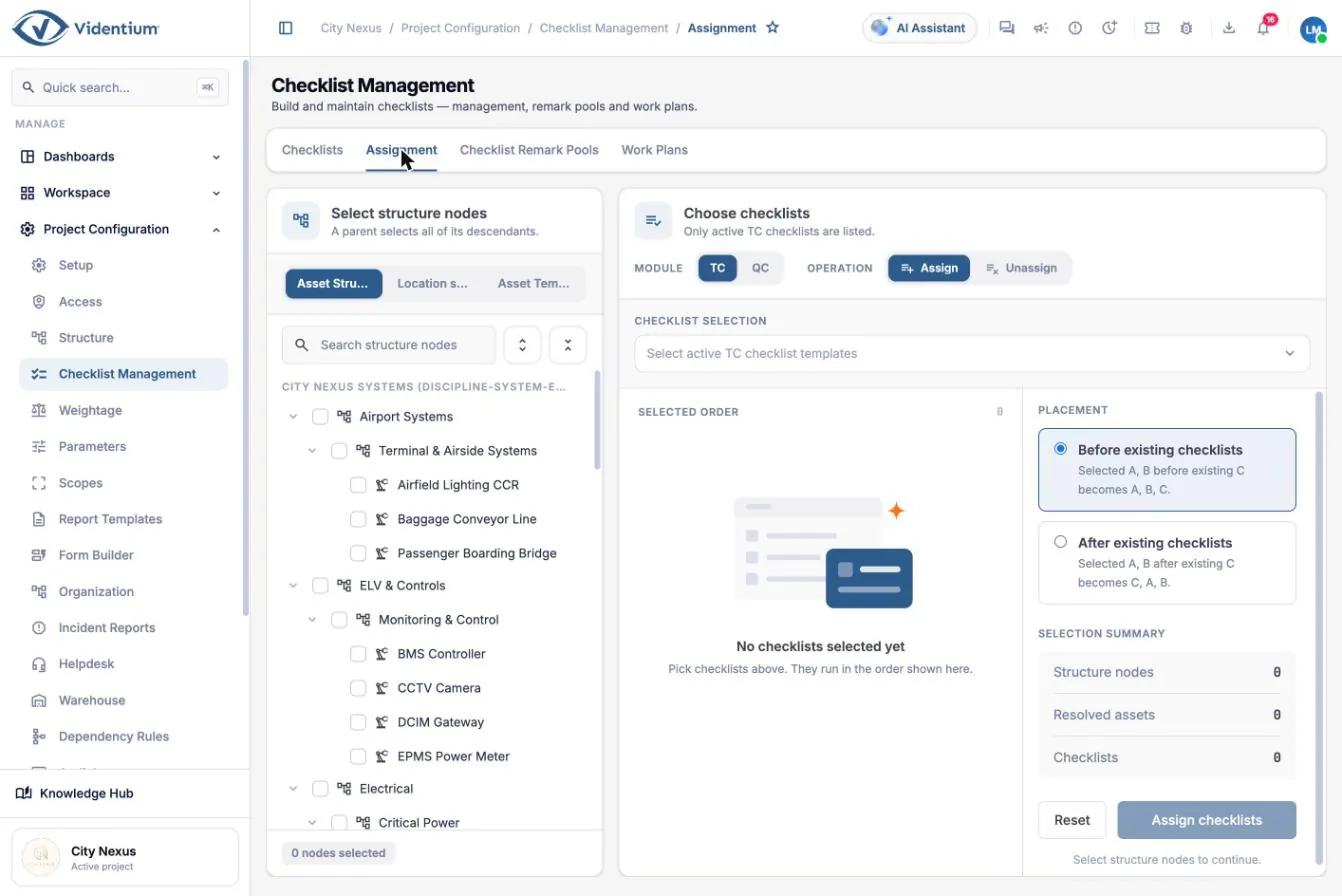
Checklist assignment tab selecting structure nodes and checklists
Assigning checklists to structure nodes. Open full size (opens in a new tab)
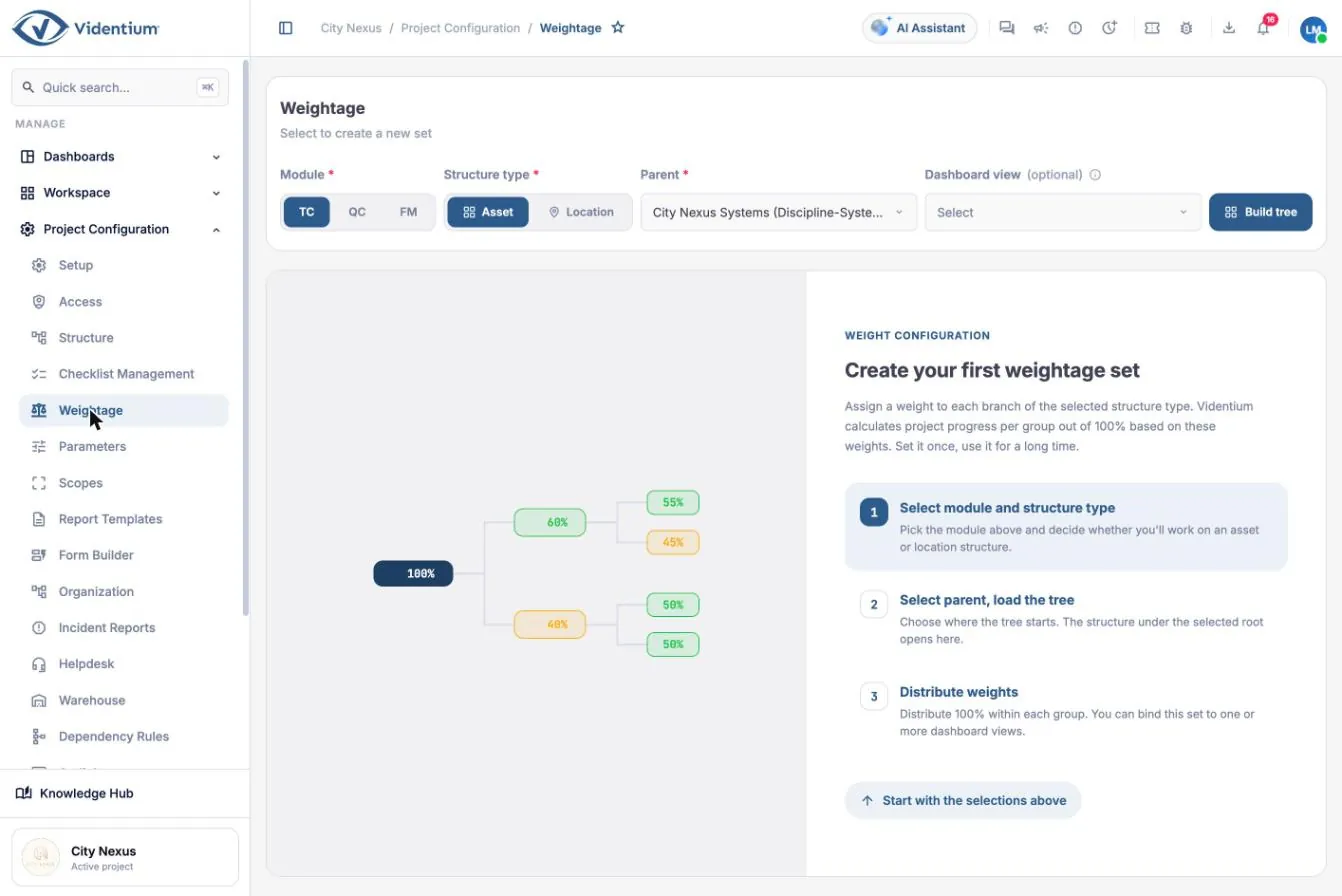
Weightage configuration showing percentage shares per branch
Weightage configuration for progress roll-up. Open full size (opens in a new tab)
UP · QC

Quality control

Record construction inspections against the asset and location, with hold, witness and review points.

  • Inspection and test plan style inspections as QC checklists
  • Hold, witness and review points
  • Executed through QC work orders, the same way as testing
  • Failed items become findings that follow a close-out workflow
  • Quality progress shown beside testing progress on every asset

Why it matters. Defects found during construction cost far less than those found in commissioning or operation, and hidden work can be proven checked before it was closed up.

Work order board grouped by status showing quality control inspection cards
QC and TC work orders on the status board. Open full size (opens in a new tab)
UP

Work orders

Every inspection, test and maintenance task is a work order with people, dates, evidence and an approval trail.

  • Lifecycle: draft, open, in progress, submitted, approved, with controlled rollback
  • Views: list, board, calendar, planning, teams and dashboard
  • Assignees, planned dates and the approval flow on each order
  • Before and after photos, attachments, checklist and signatures
  • Timeline of activity for every work order

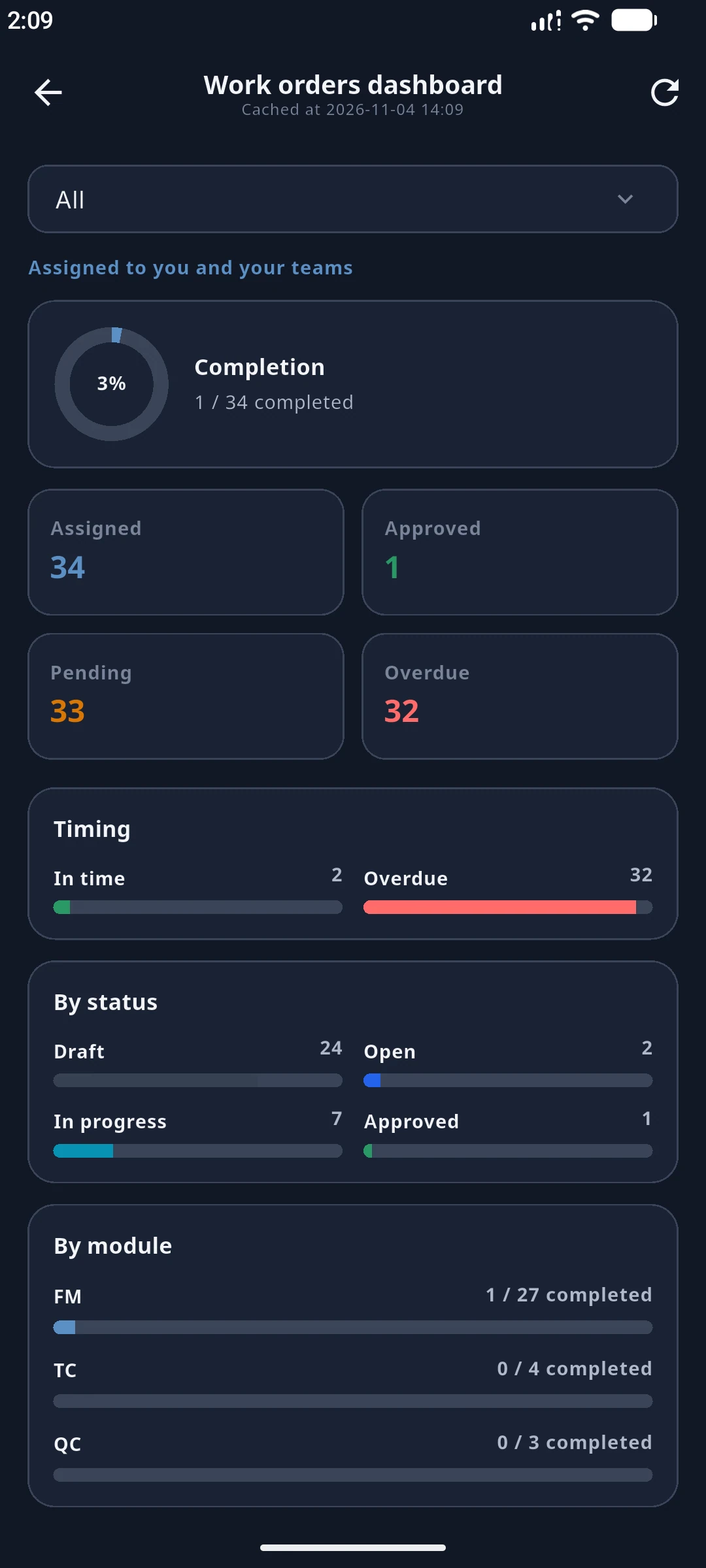
Why it matters. Overdue work orders are the earliest warning that commissioning is slipping. The dashboard separates testing, quality and maintenance work and shows what is due this week.

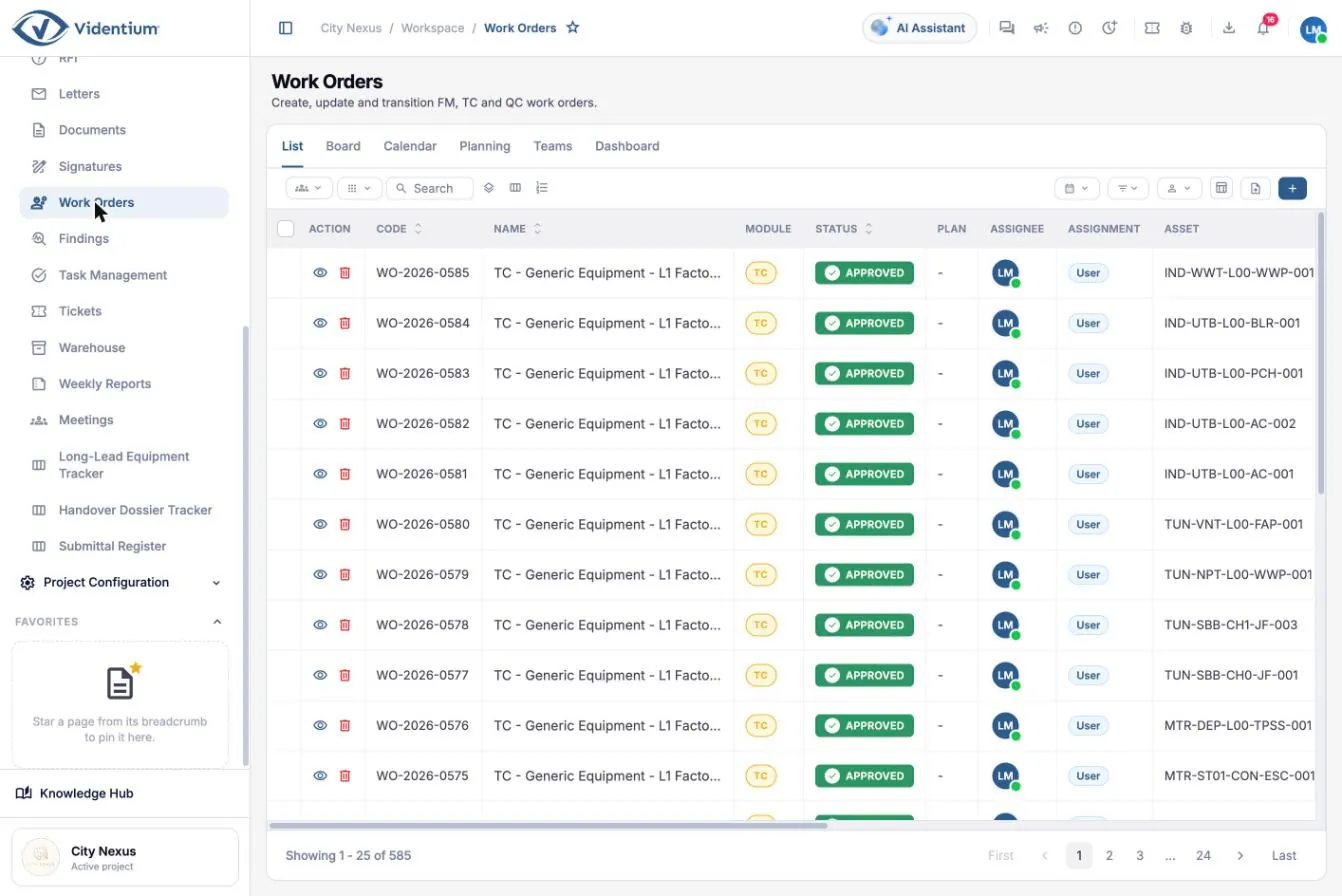
Work order list table with status and assignee columns
Work order list with filters and bulk tools. Open full size (opens in a new tab)
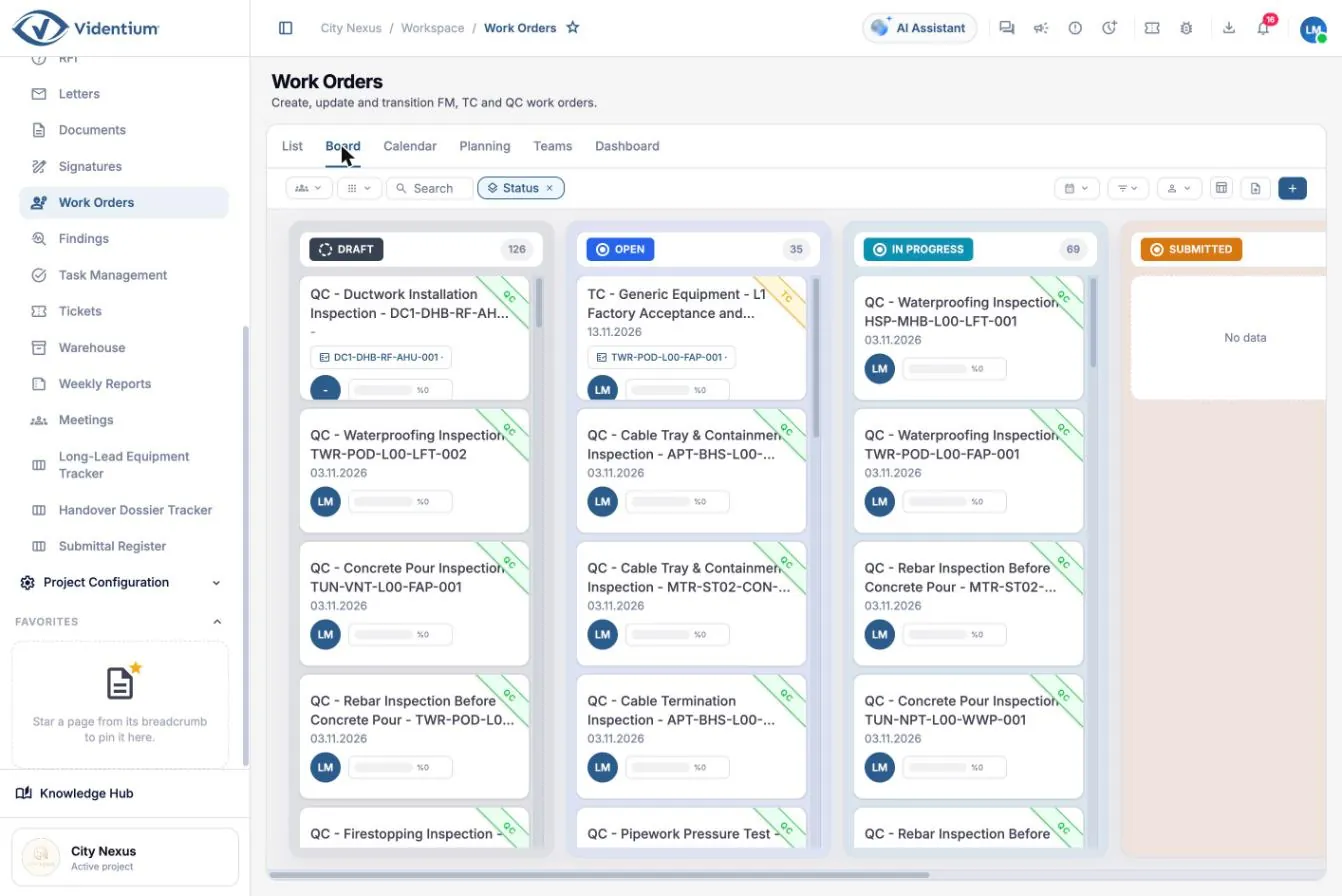
Kanban board of work orders by status
Board view: work orders grouped by status. Open full size (opens in a new tab)
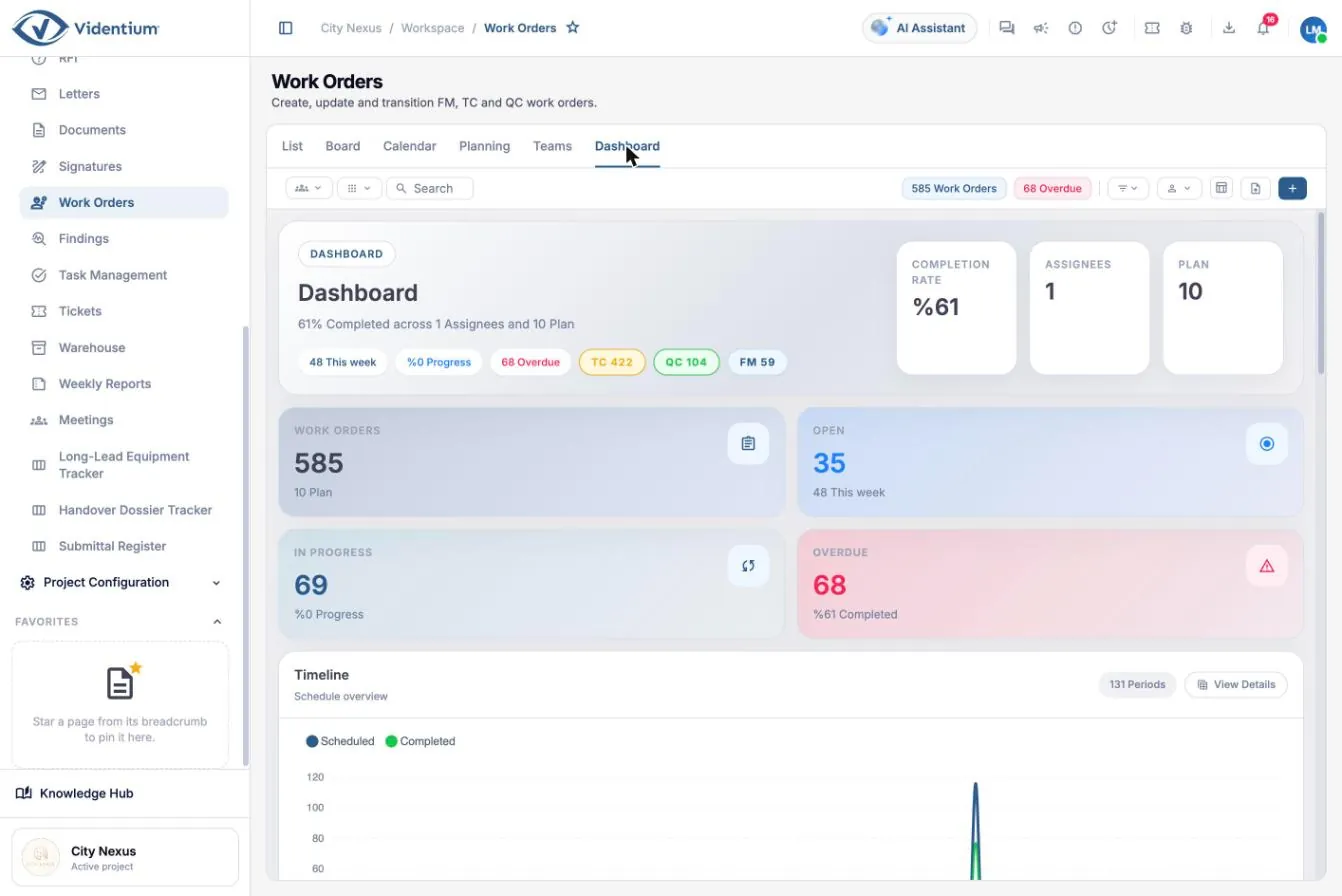
Work order dashboard with completion rate and overdue counts
Work order dashboard: completion, open, in progress and overdue. Open full size (opens in a new tab)
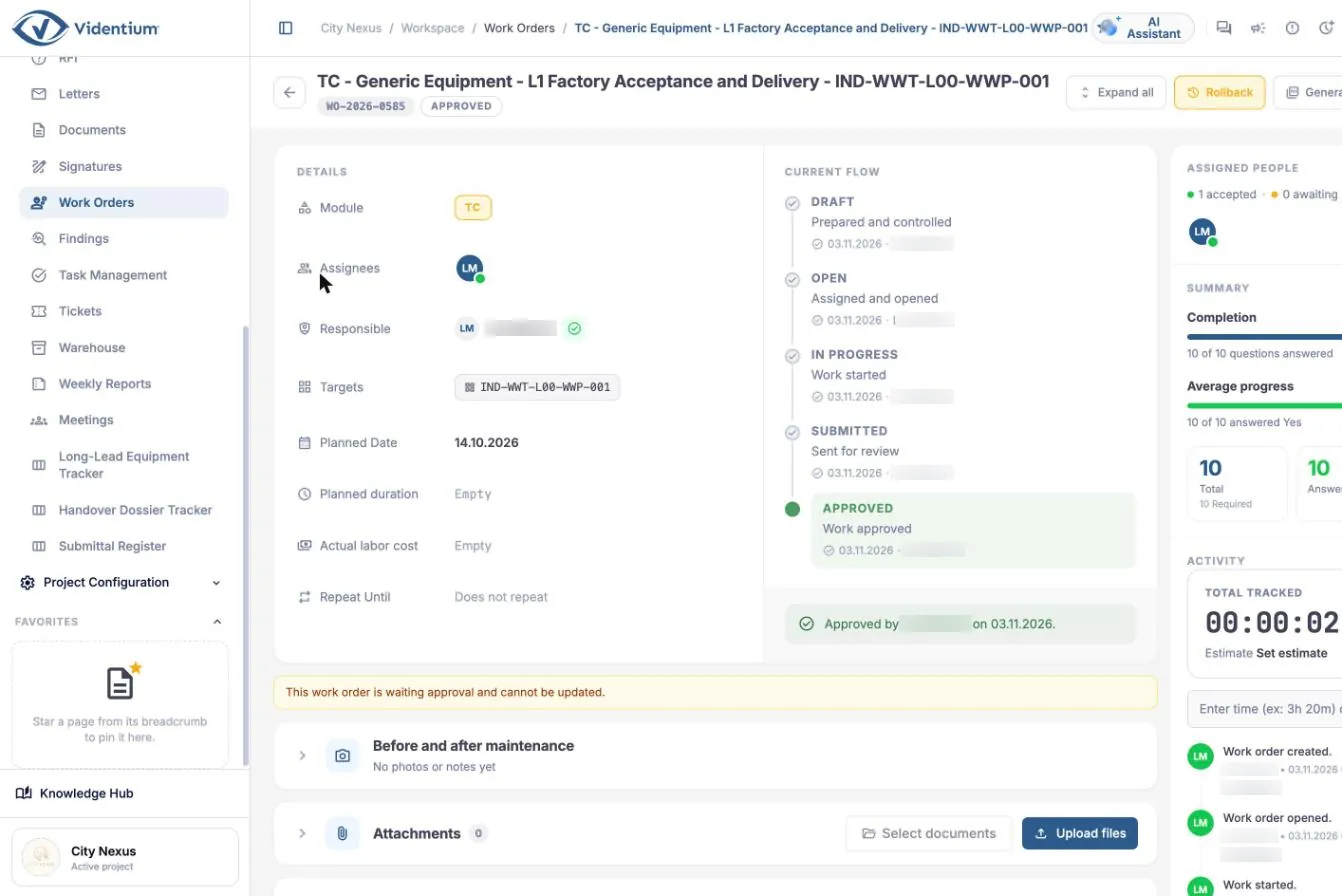
Work order detail with assignees, dates and the approval flow
Work order detail: assignees, planned date and approval flow. Open full size (opens in a new tab)
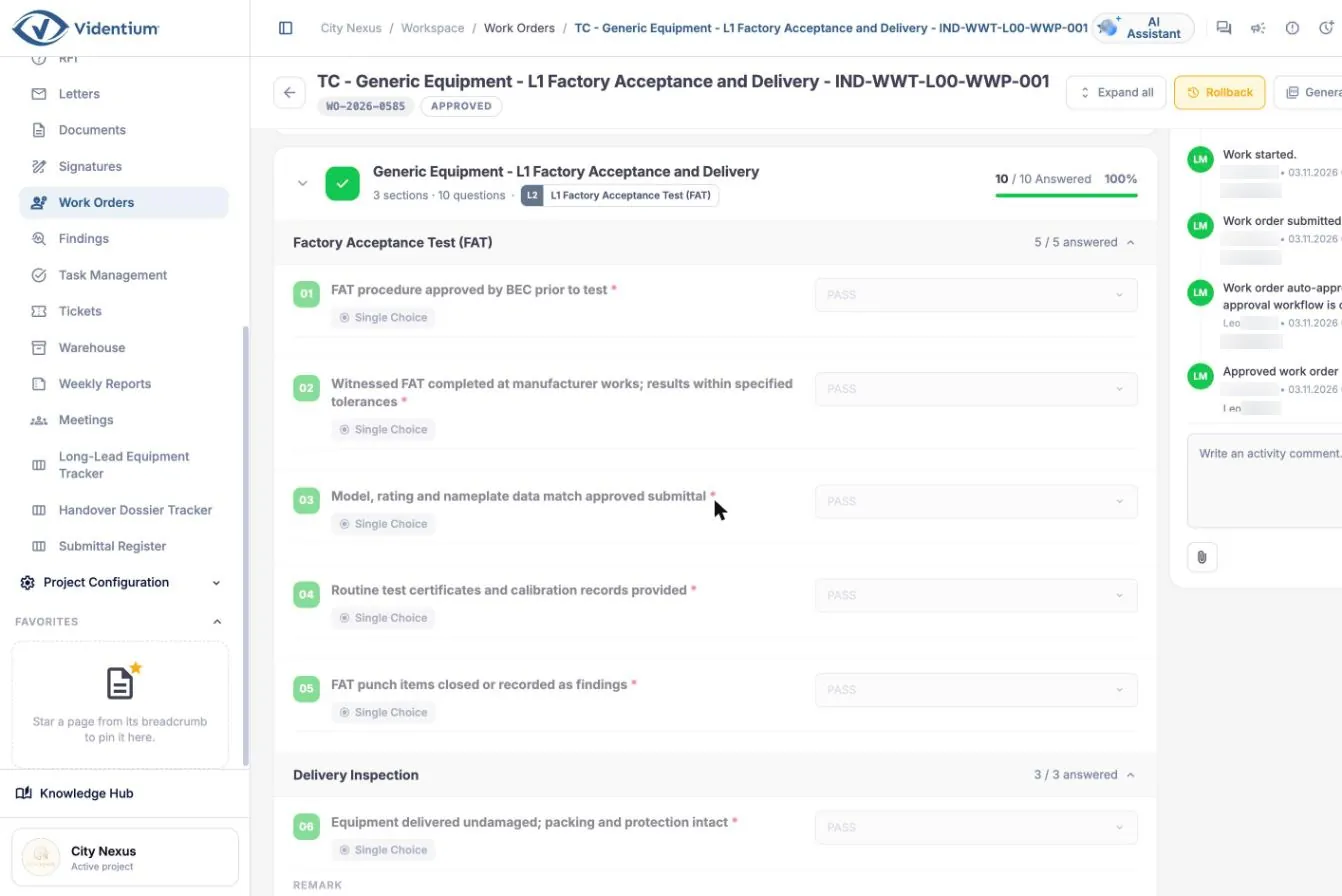
Work order checklist with pass, fail and measured value answers
Answering a checklist with values and evidence. Open full size (opens in a new tab)
UP

Findings

Anything that needs action is raised as a finding and tracked to close-out.

  • Five types: snag, non-conformance, observation, safety, design query
  • Four priorities from low to critical
  • Linked to an asset and, through it, to a location
  • Photos and pin positions on drawings
  • Close-out workflow from raised to closed
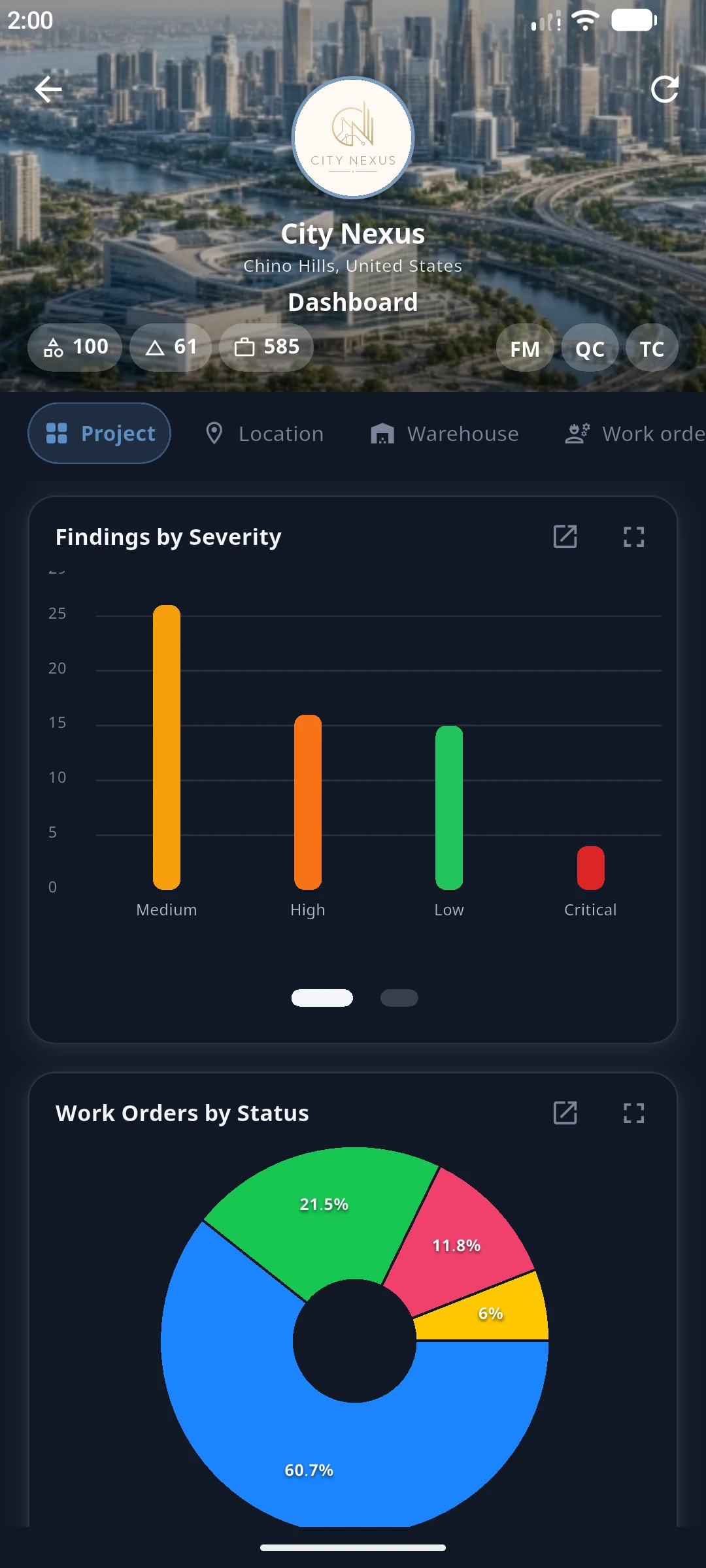
  • Dashboard charts by severity, type and status

Why it matters. Open findings decide whether a system is accepted or an area handed over. Tracking them by type, priority and responsible company shows what blocks handover.

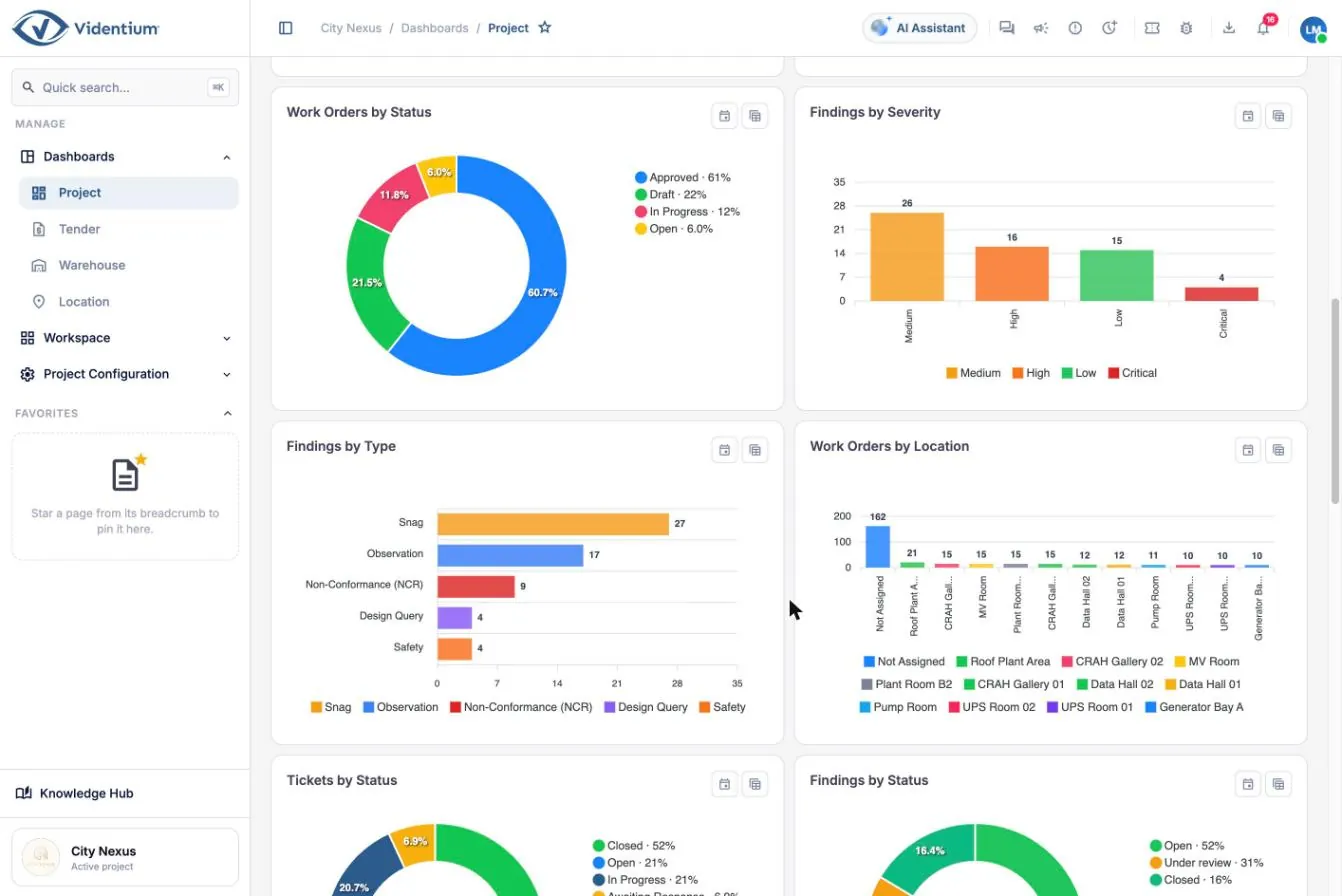
Project dashboard charts showing findings by severity and work orders by status
Findings and work order charts on the project dashboard. Open full size (opens in a new tab)
Platform

Workflows and approvals

Define who reviews and approves each kind of record, with time limits and a clear route back when something is rejected.

  • Visual workflow designer
  • Serial and parallel approval steps
  • Time limits per step
  • Rejection returns the work for correction
  • Workflows for test approval, quality inspections, non-conformance close-out, corrective work, permits and submittals

Why it matters. Approval workflows create an auditable trail of who checked what, when and with which result, and make late reviews visible instead of silently blocking work.

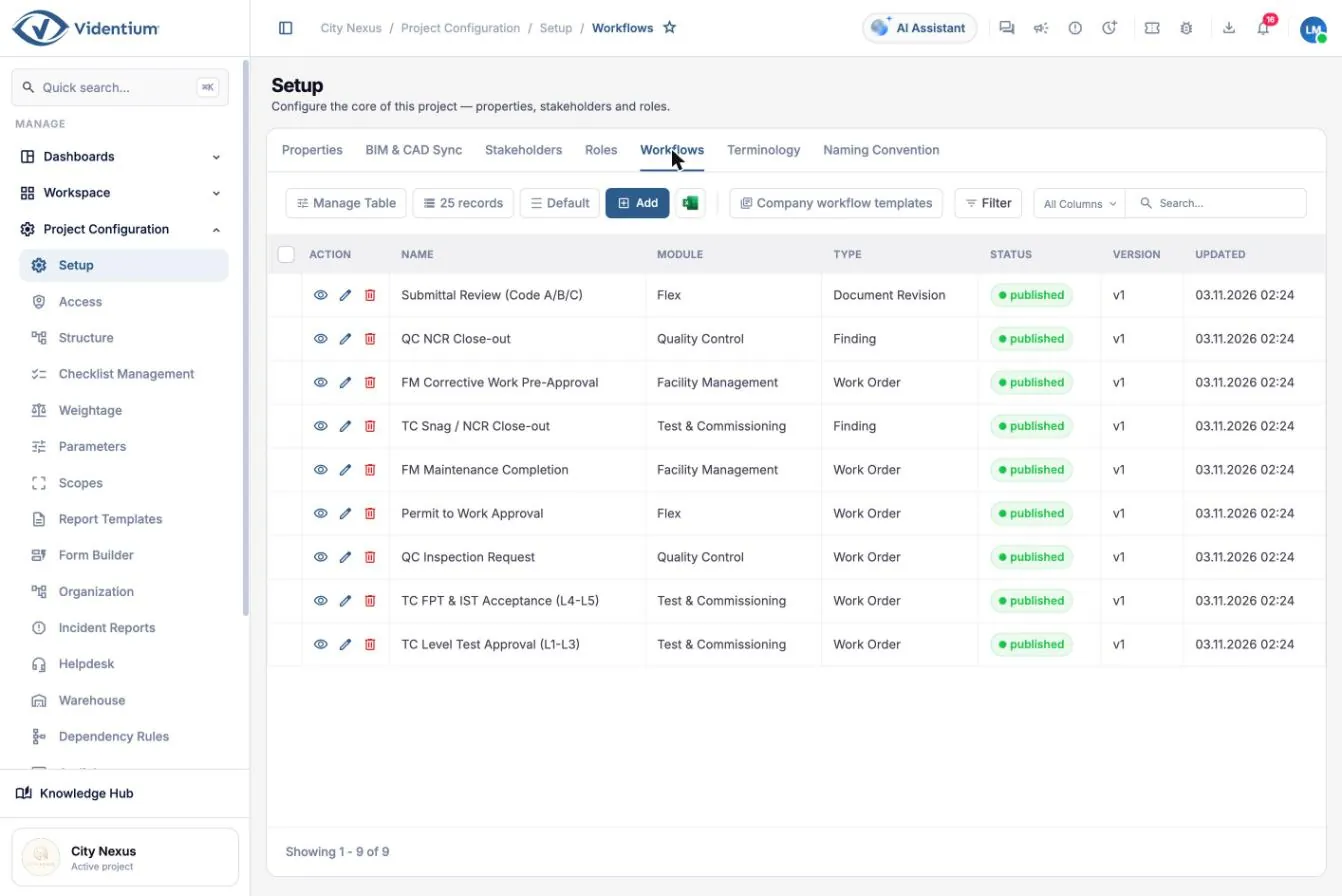
List of published workflows
Published workflows. Open full size (opens in a new tab)
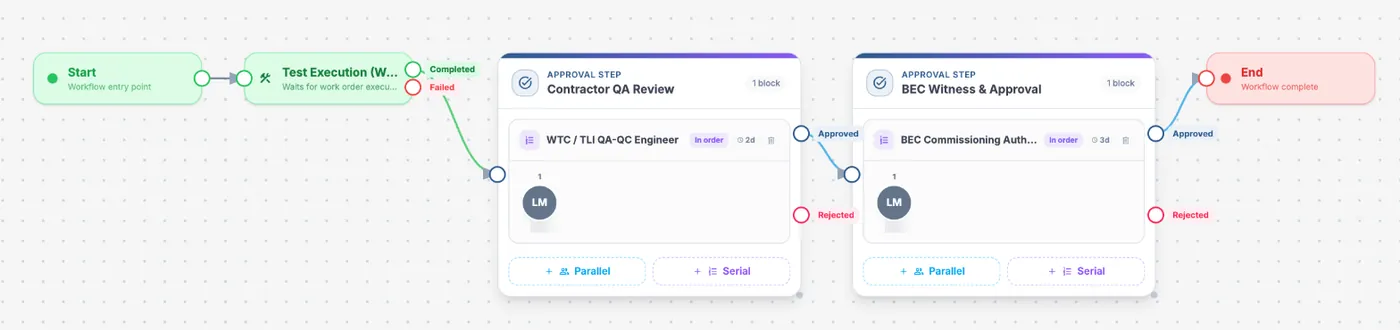
Workflow designer canvas with a test execution step followed by two approval steps
Workflow designer: execution, contractor review and authority approval. Open full size (opens in a new tab)
UP

Planning, tasks and field

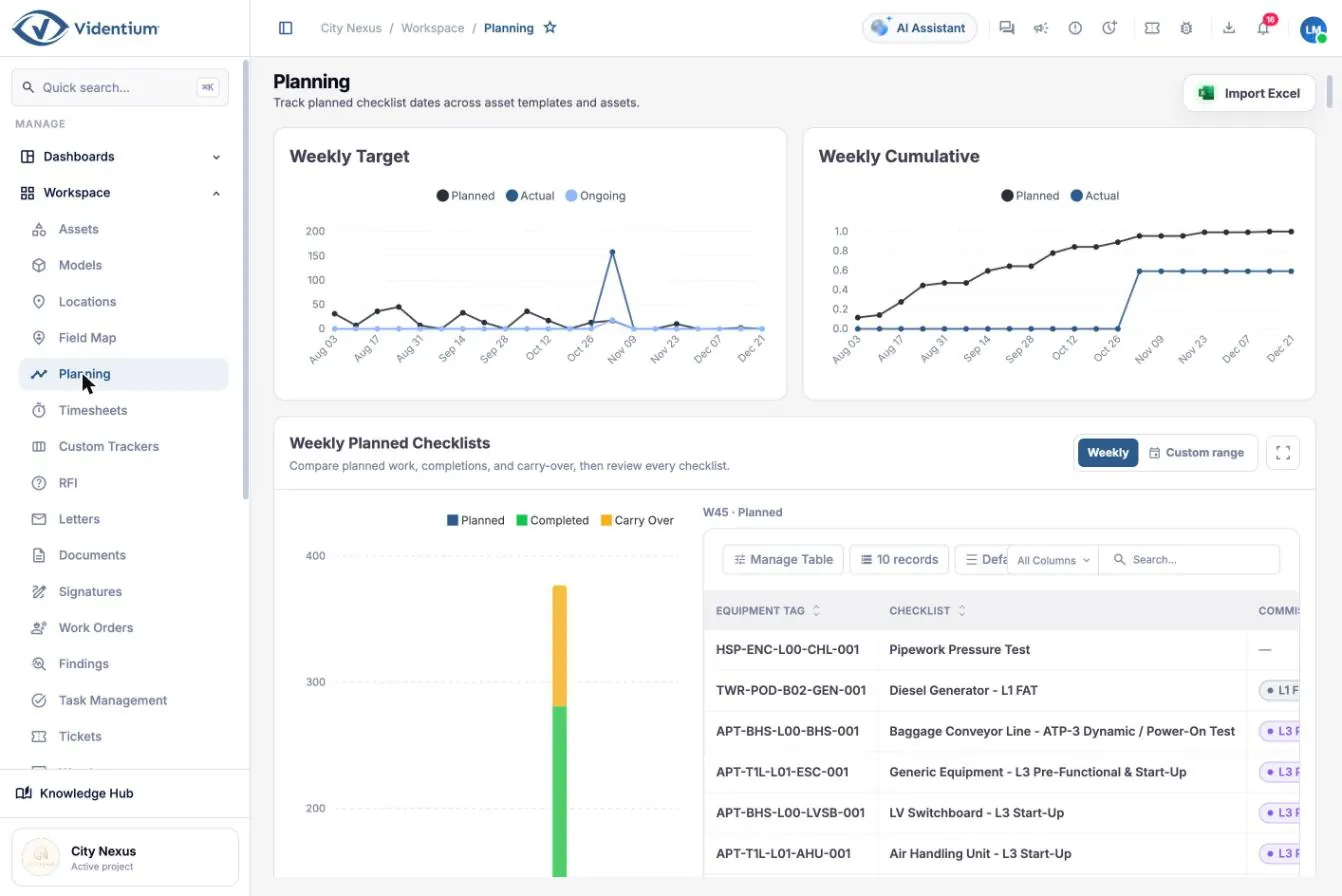
A planning baseline for every checklist, with weekly targets, an S-curve and the tools to keep the plan honest.

  • Planned start and finish for every checklist on every asset
  • Weekly target, cumulative S-curve and weekly planned checklists
  • Excel import with template and dry-run validation before applying
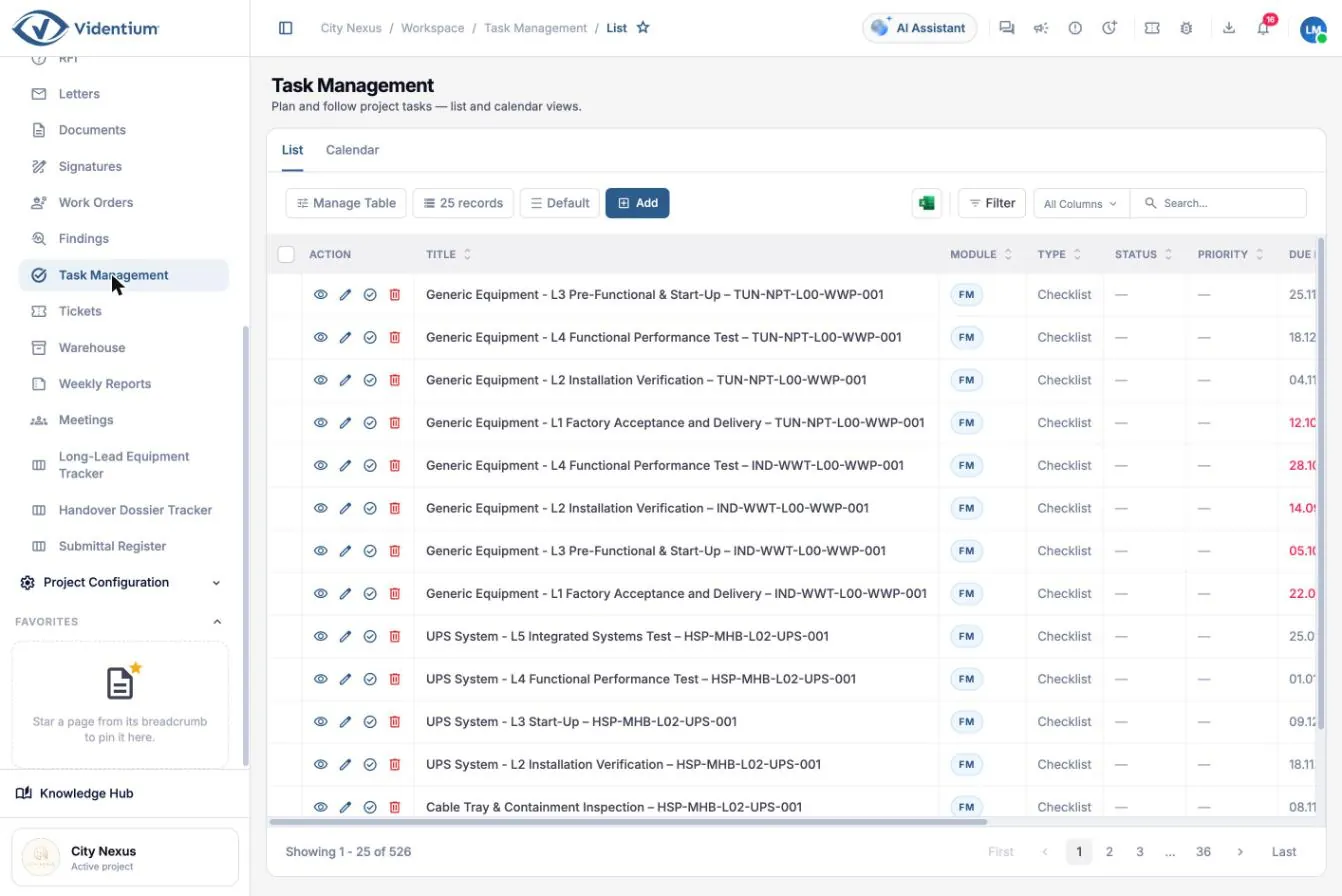
  • Task management in list and calendar views
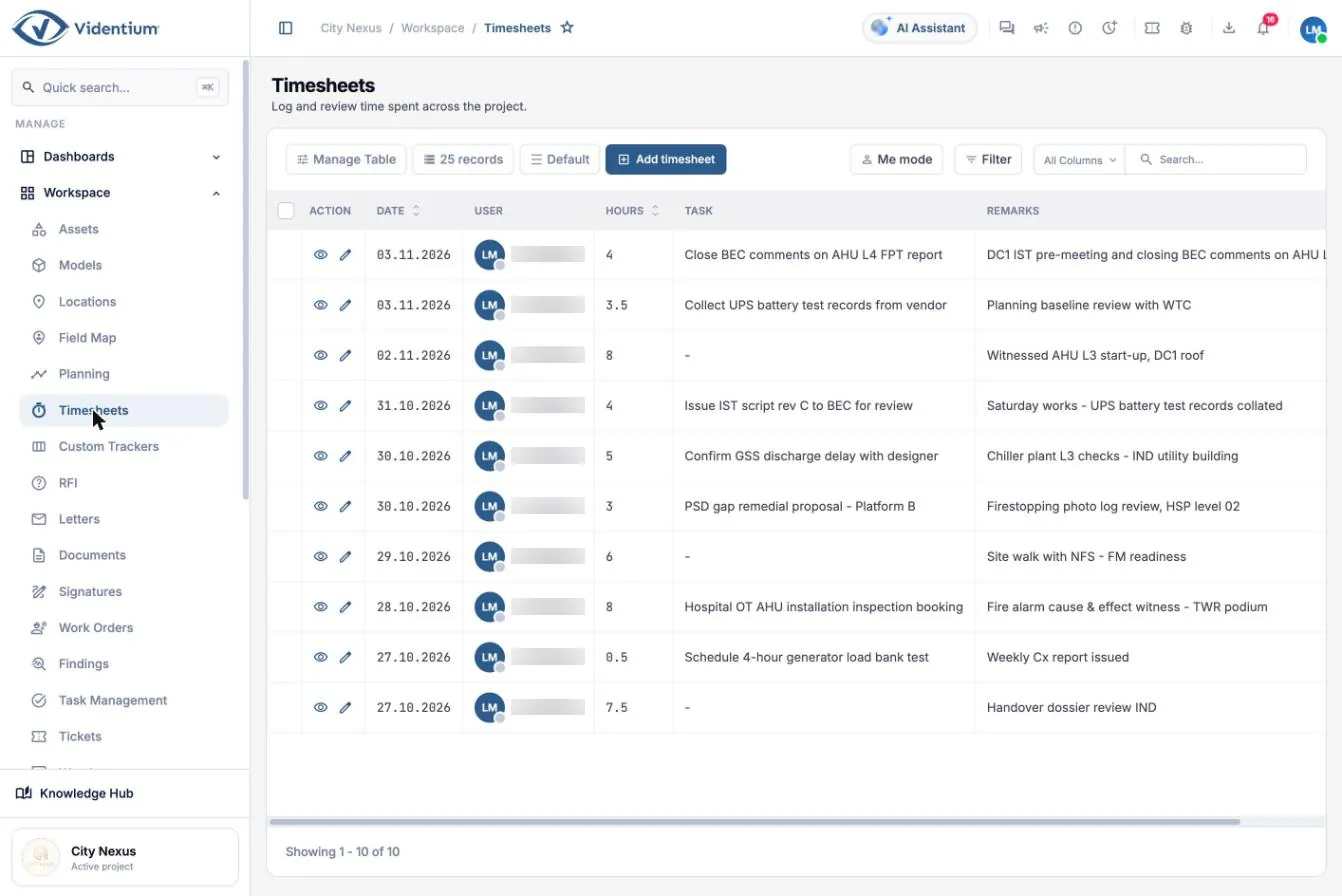
  • Timesheets by day, against tasks
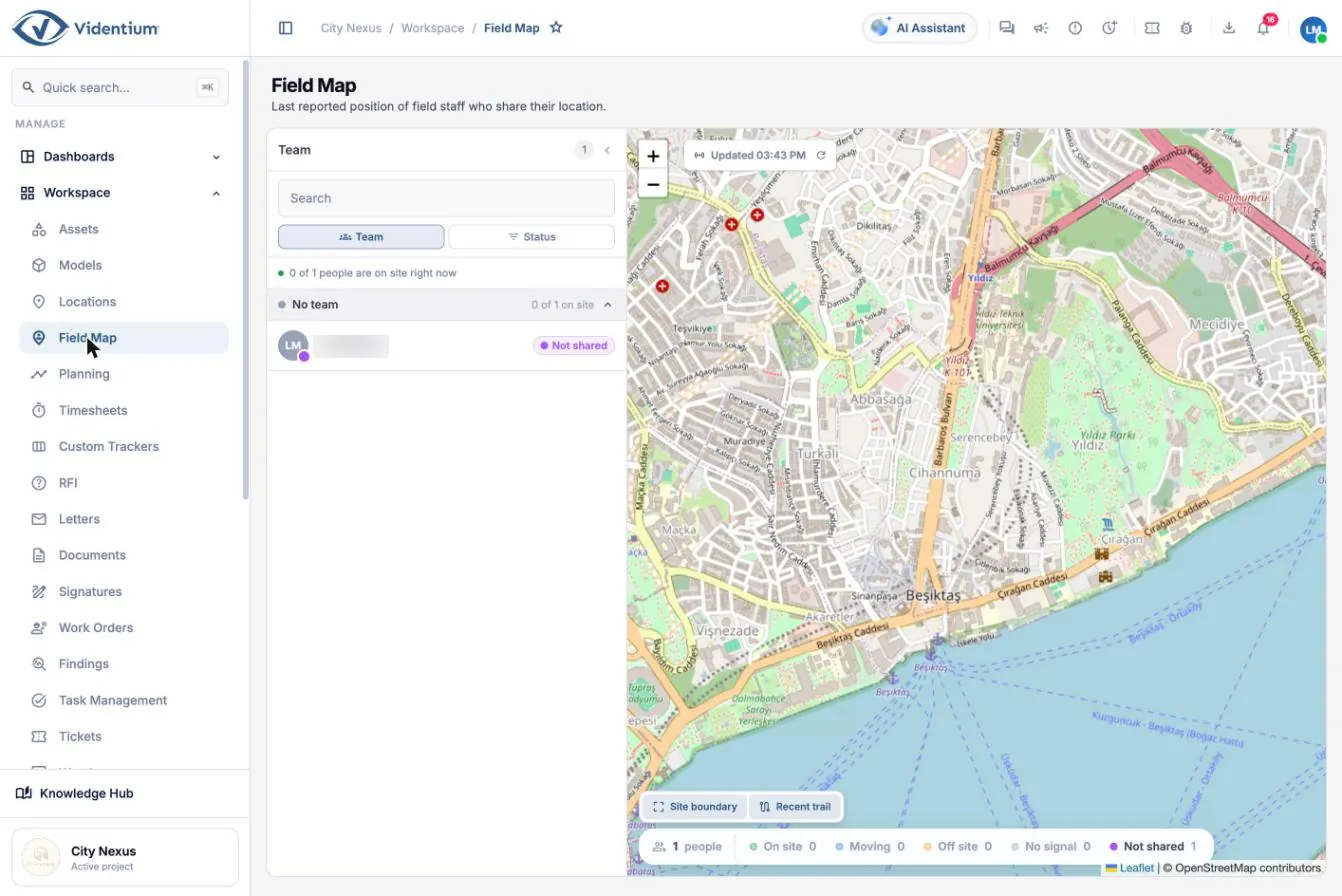
  • Field map of shared team locations with site boundary and recent trail

Why it matters. The gap between planned and actual progress is the clearest measure of schedule risk, and carried-over checklists show exactly which tests slipped.

Planning screen with weekly target chart and cumulative S-curve
Planning: weekly target, cumulative S-curve and planned checklists. Open full size (opens in a new tab)
Task list with module, type, status and due date
Task management. Open full size (opens in a new tab)
Timesheet list of hours logged against tasks
Timesheets: hours logged per day against tasks. Open full size (opens in a new tab)
Field map with team list and map showing site boundary
Field map: last reported team positions and site boundary. Open full size (opens in a new tab)
UP · FM

Maintenance and helpdesk

After handover the same asset record drives planned maintenance and day-to-day service.
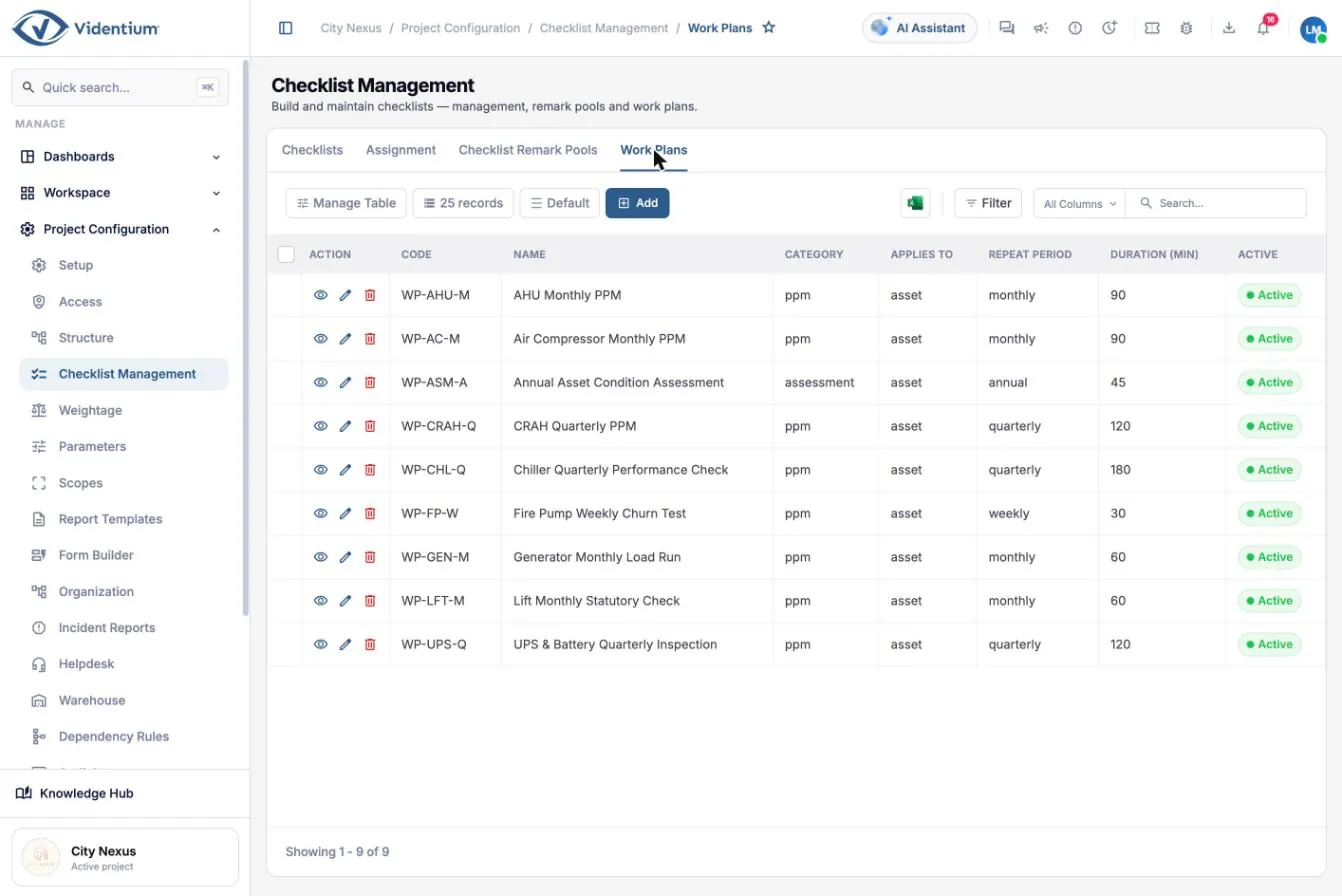
  • Planned preventive maintenance from work plans: weekly, monthly, quarterly, annual
  • Maintenance checklists including isolation steps and condition assessments
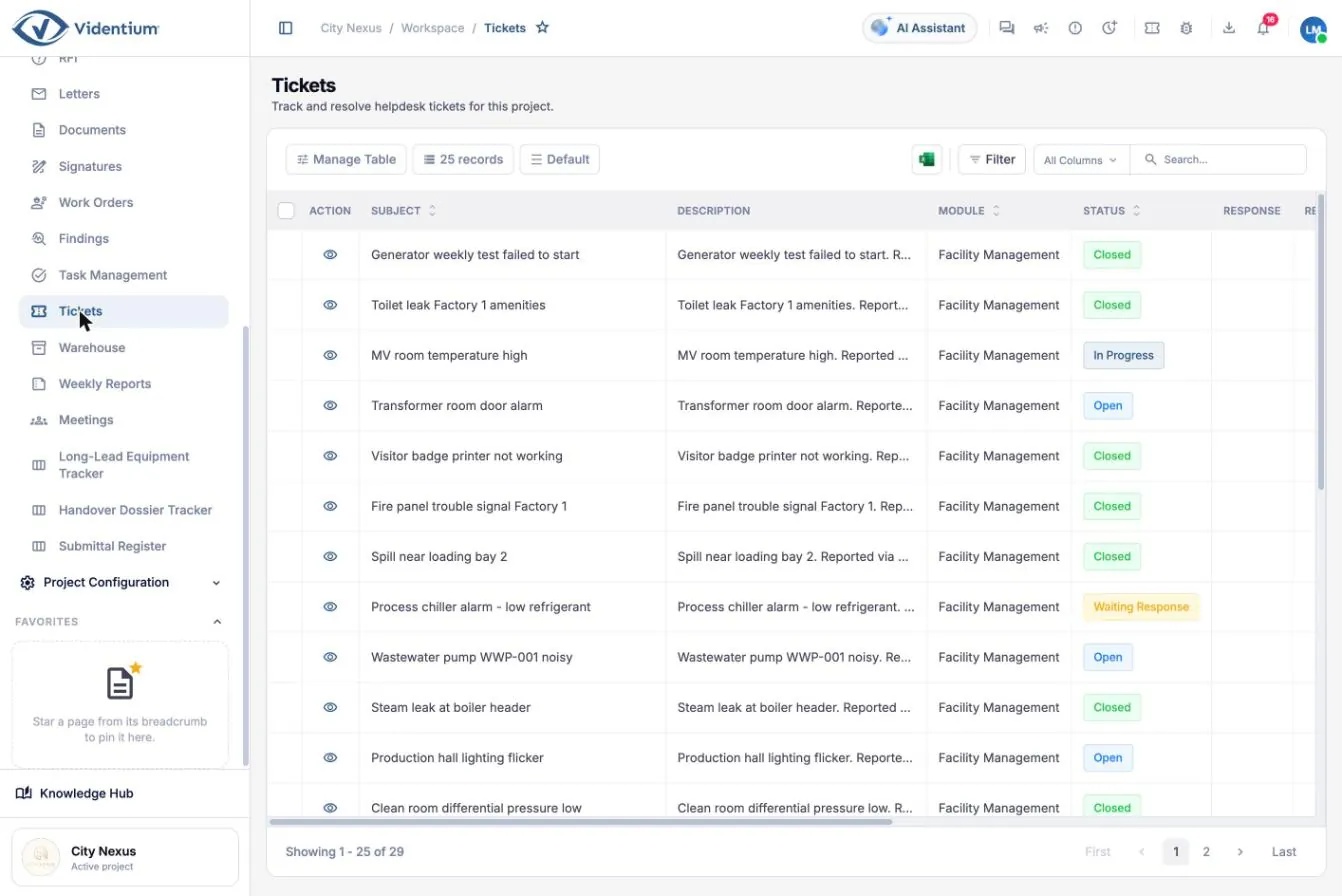
  • Helpdesk tickets from a portal or a QR point on a room or equipment
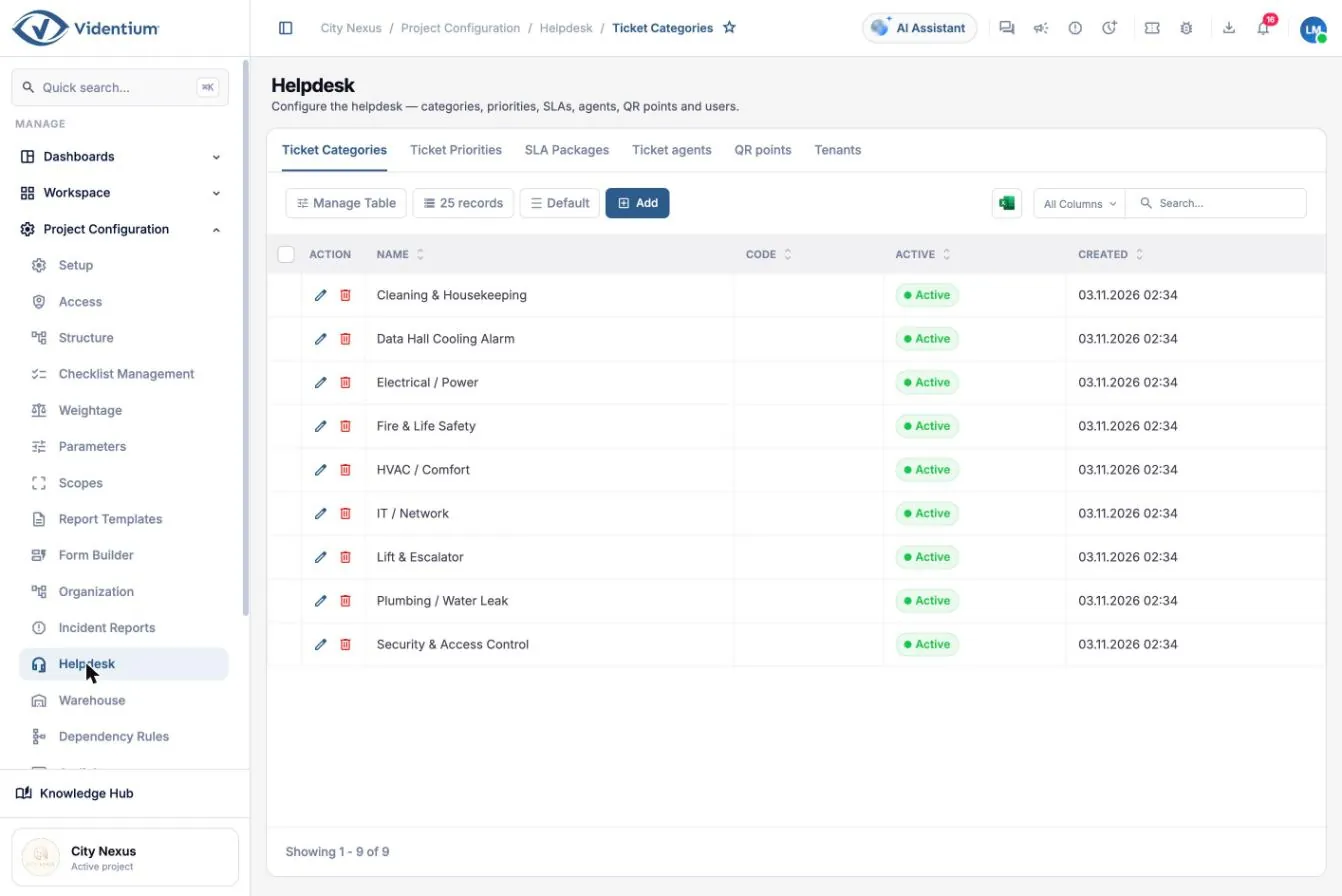
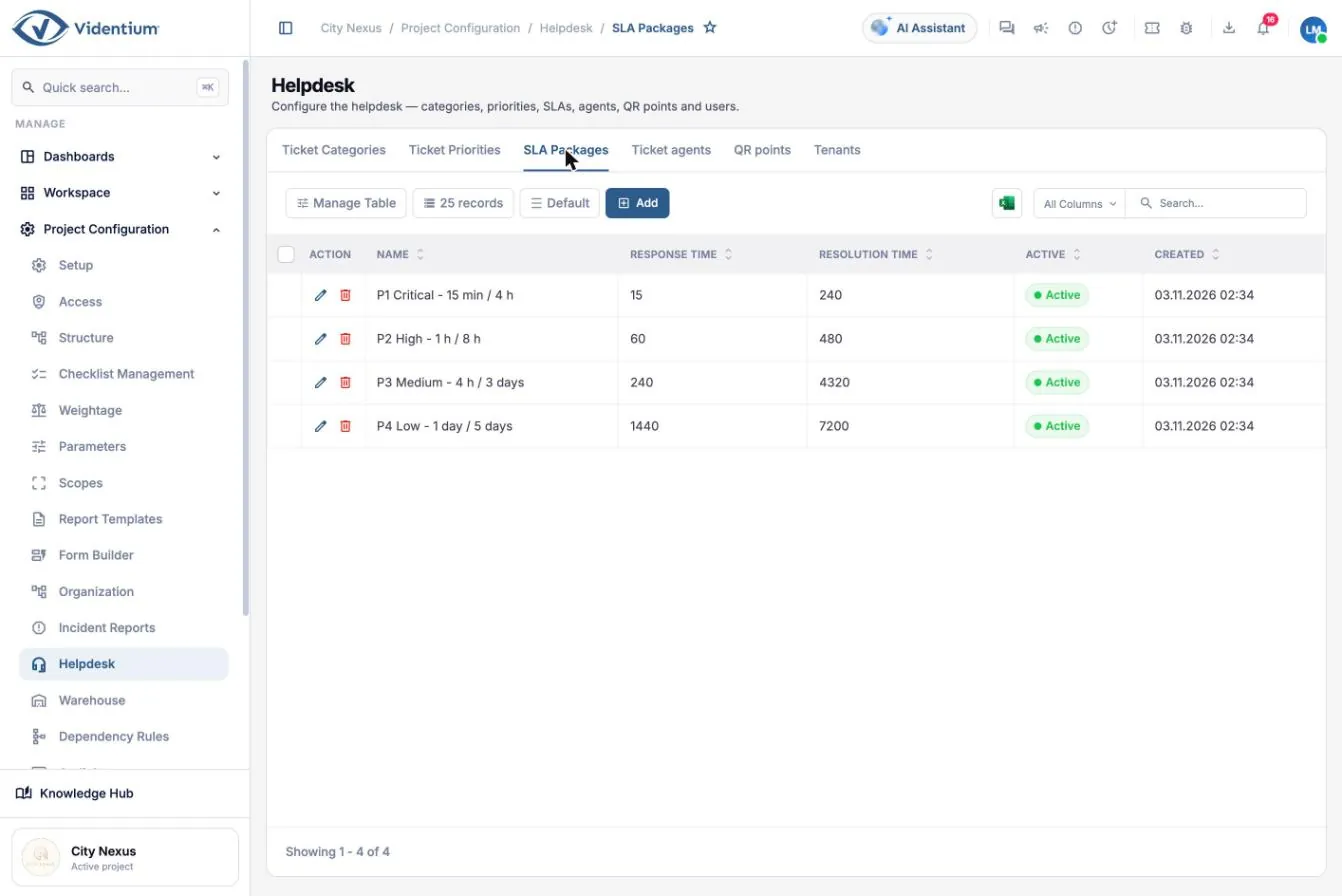
  • Categories, priorities and SLA packages with response and resolution times
  • Tickets convert into corrective work orders

Why it matters. Technicians see commissioning results and design values beside their maintenance readings, and SLAs turn service expectations into measurable targets.

Work plans defining checklist, frequency and duration for preventive maintenance
Work plans generate recurring maintenance work orders. Open full size (opens in a new tab)
Helpdesk ticket list with category and priority
Helpdesk tickets. Open full size (opens in a new tab)
Helpdesk configuration showing ticket categories
Helpdesk configuration: ticket categories. Open full size (opens in a new tab)
SLA package configuration with response and resolution times
SLA packages with response and resolution times. Open full size (opens in a new tab)
UP · FM

Warehouse and reporting

Spare parts, tools and safety items across stores, and weekly operational reports that write themselves.

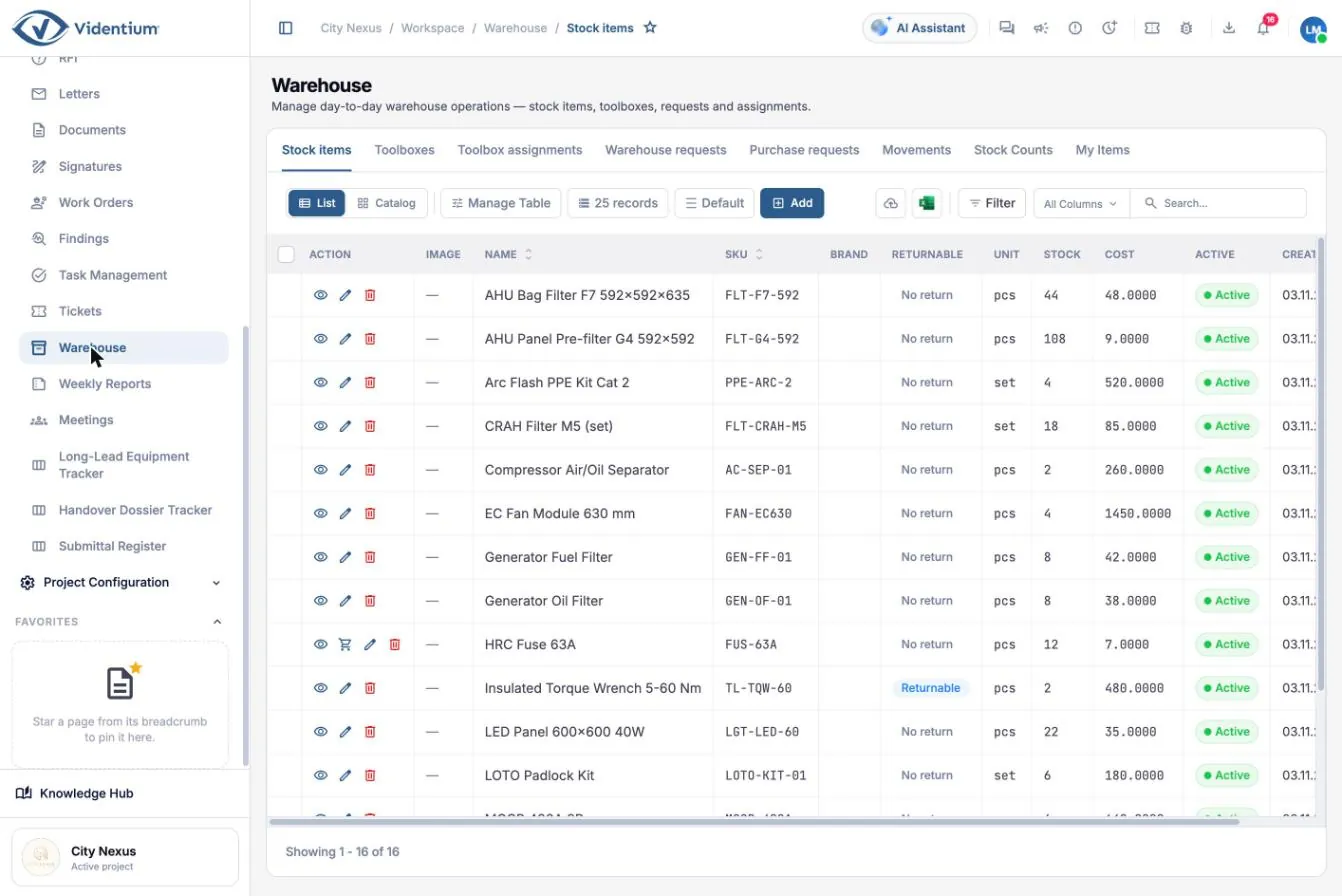
  • Stock items with SKU, unit, level and cost
  • Toolboxes and tool assignments
  • Warehouse and purchase requests, stock movements and stock counts
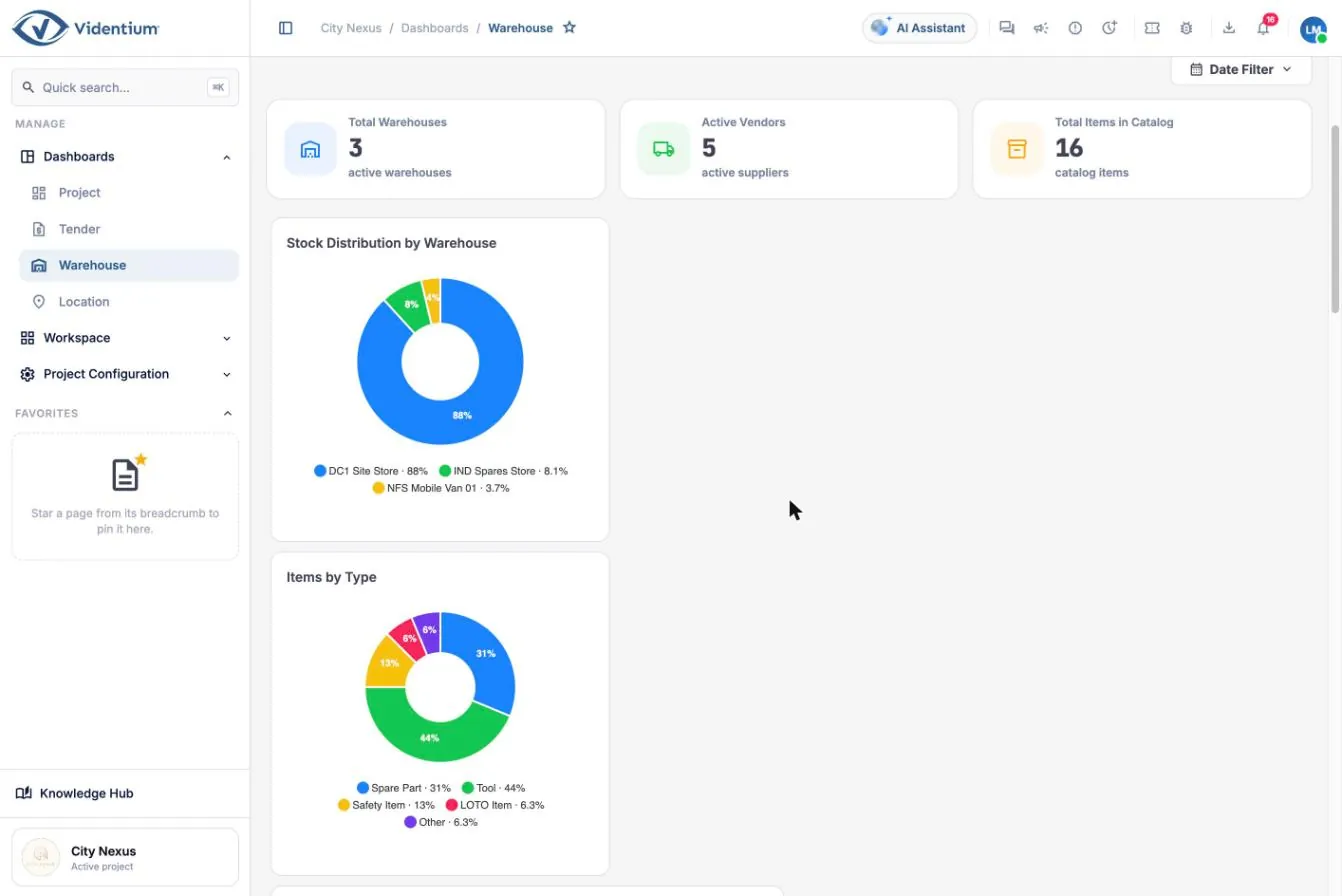
  • Warehouse dashboard by store and item type
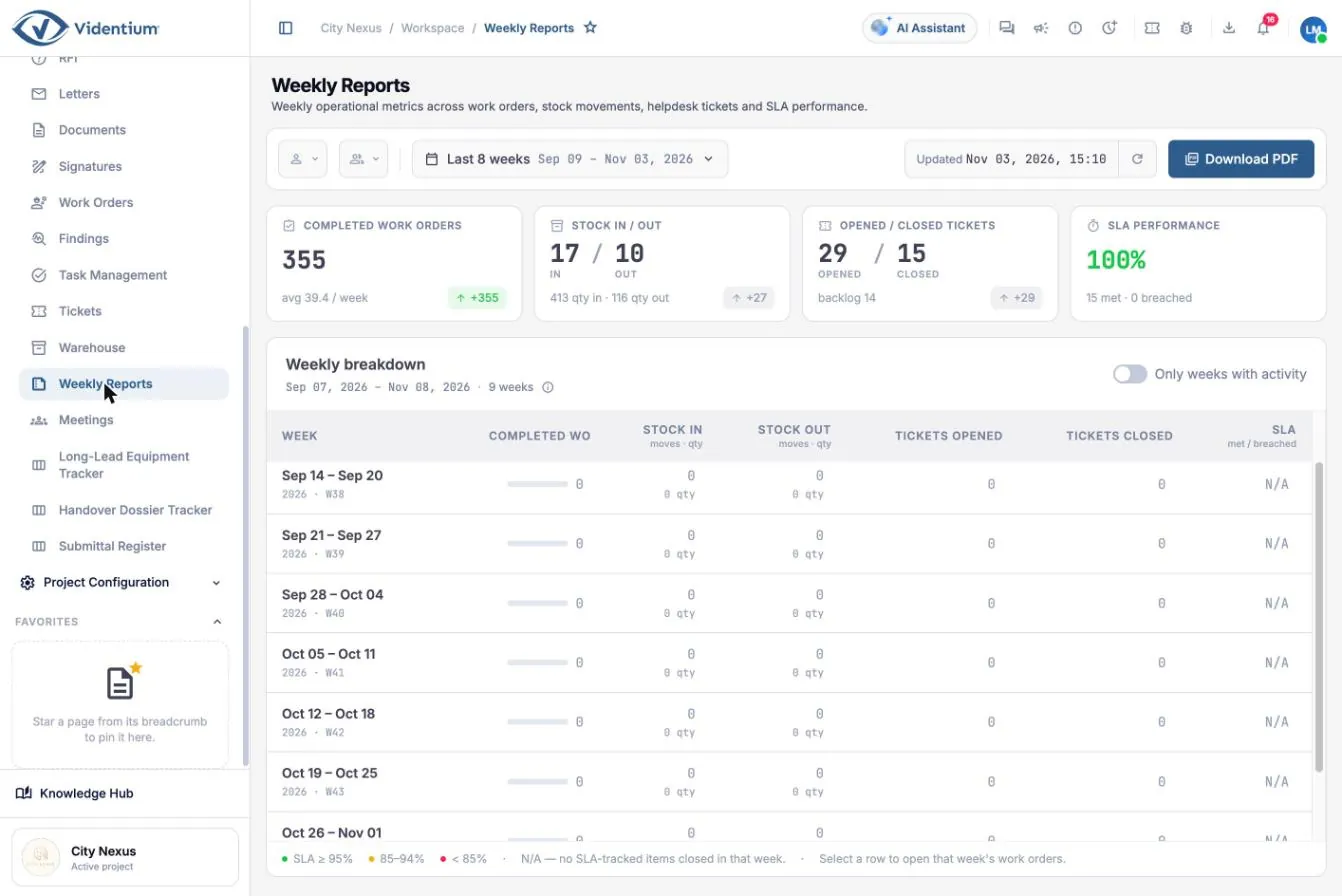
  • Weekly reports: completed work, stock movement, tickets and SLA performance, with PDF download

Why it matters. Knowing what is in stock, who holds which tool and how service performed this week keeps maintenance available and the FM contract measurable.

Warehouse stock item list with SKU, level and cost
Warehouse stock items. Open full size (opens in a new tab)
Warehouse dashboard summarising stock by store and item type
Warehouse dashboard. Open full size (opens in a new tab)
Weekly report of completed work orders, stock and tickets
Weekly operational report. Open full size (opens in a new tab)
Platform

Meetings, documents, RFIs and letters

The project’s conversations and contractual record, linked to the work they concern.

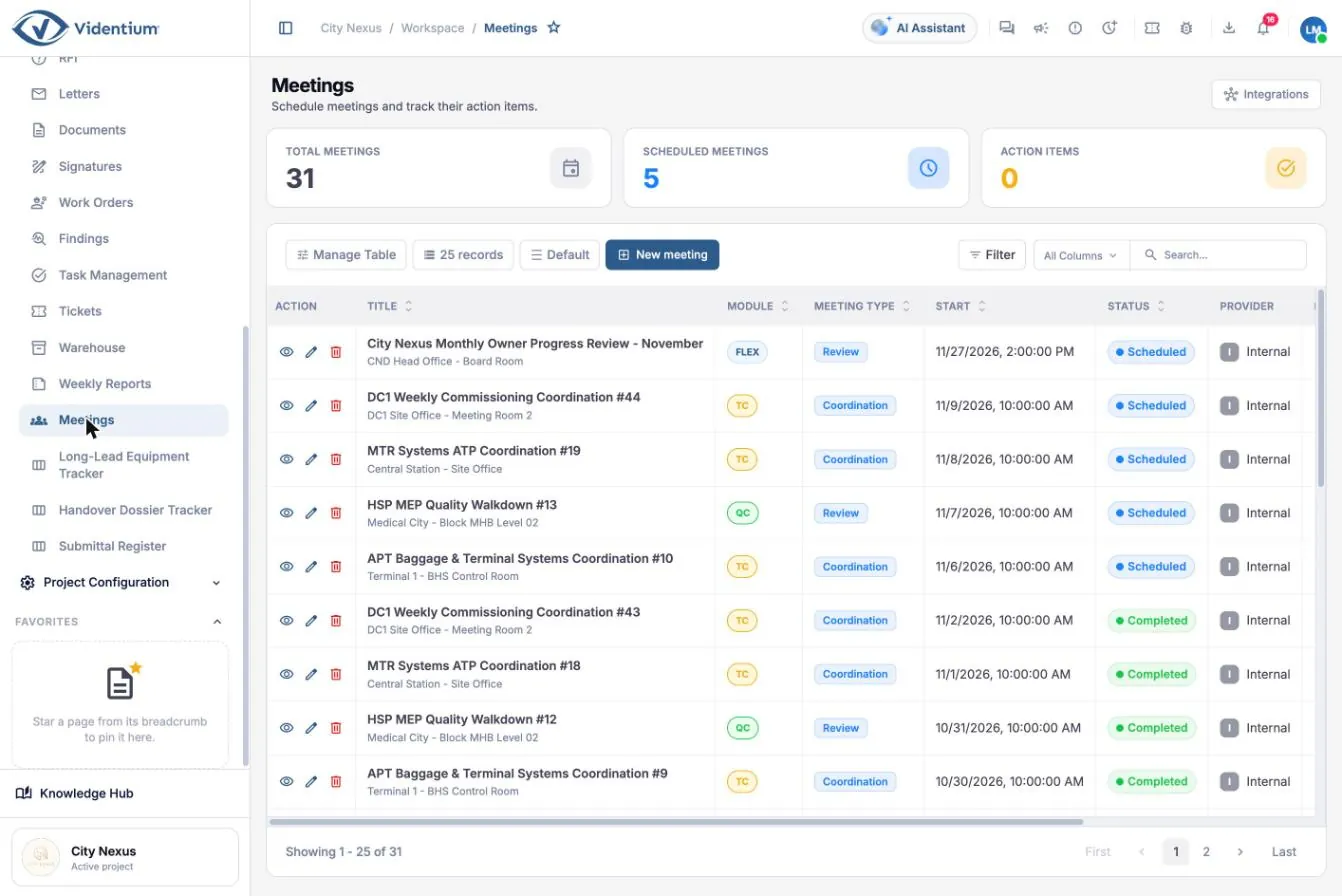
  • Meetings with attendees, minutes and action items followed to completion
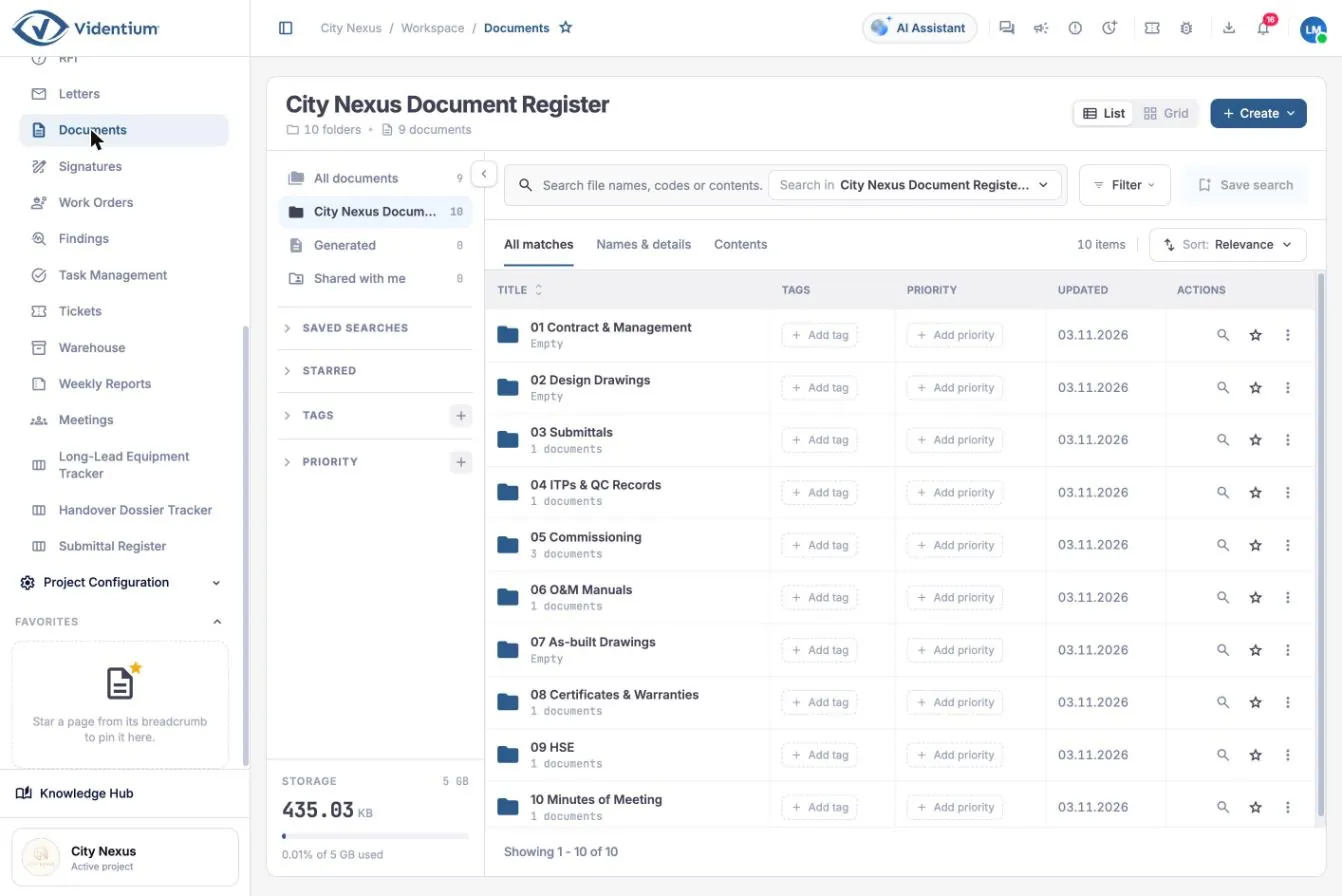
  • Document register with controlled folders, tags, priority, full-text search and saved searches
  • Documents attach to work orders, RFIs and letters; folders can link to review workflows
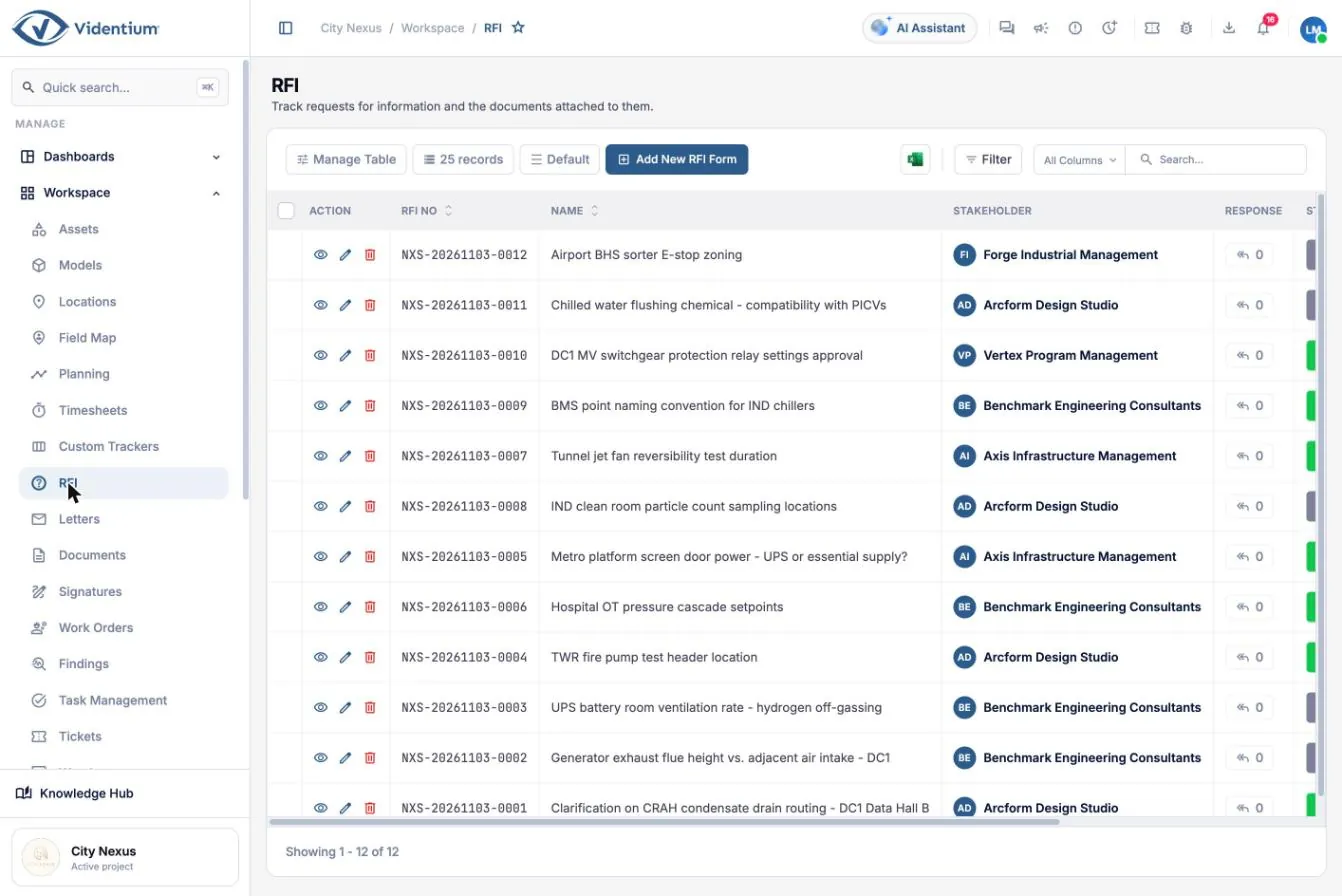
  • Requests for information with number, addressee and response date
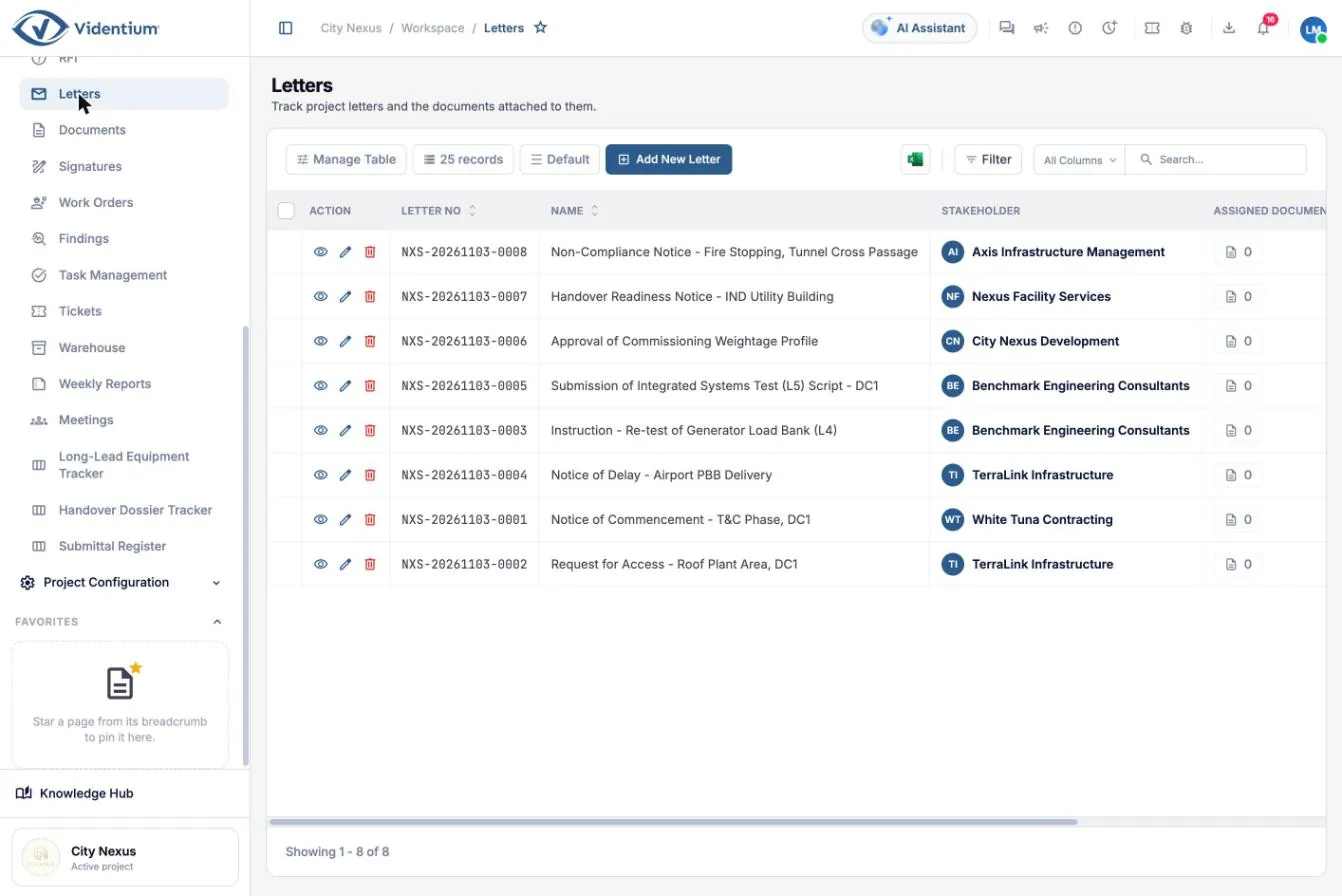
  • Letters registered with automatic numbering, dates and attachments

Why it matters. A complete, searchable record of decisions and correspondence protects every party and keeps coordination meetings focused on blockers.

Meetings list with attendees and action items
Meetings with minutes and actions. Open full size (opens in a new tab)
Document register with folders, tags and priority
Document register with controlled folders. Open full size (opens in a new tab)
Request for information register
Requests for information. Open full size (opens in a new tab)
Project correspondence register with automatic numbers
Project letters. Open full size (opens in a new tab)
Flex

Forms and trackers

Configure the processes that differ from project to project, without software development.

  • Form builder with text, choice, date and time, location, number, checkbox and signature fields
  • Forms linked to approval workflows, with responses collected and exported
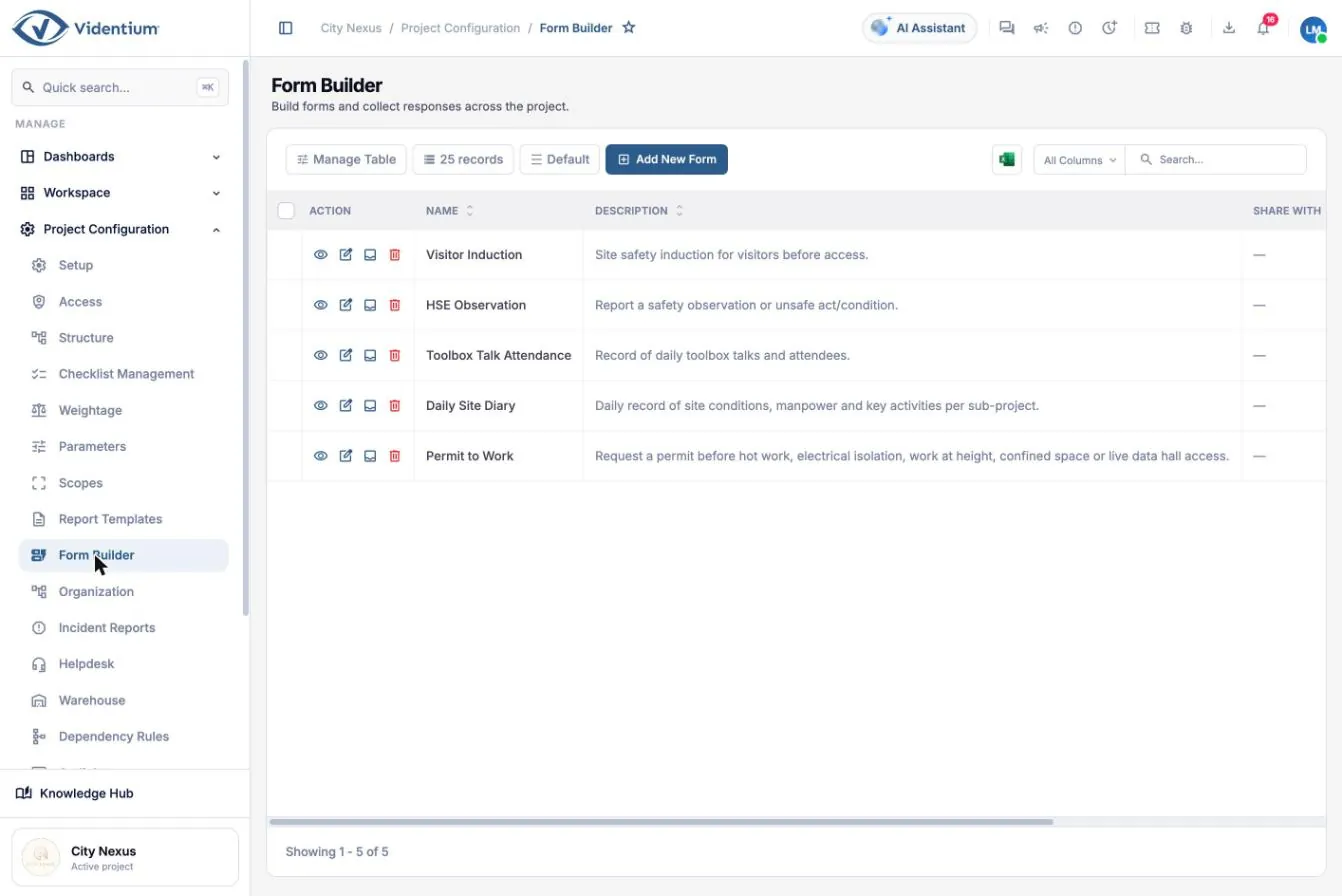
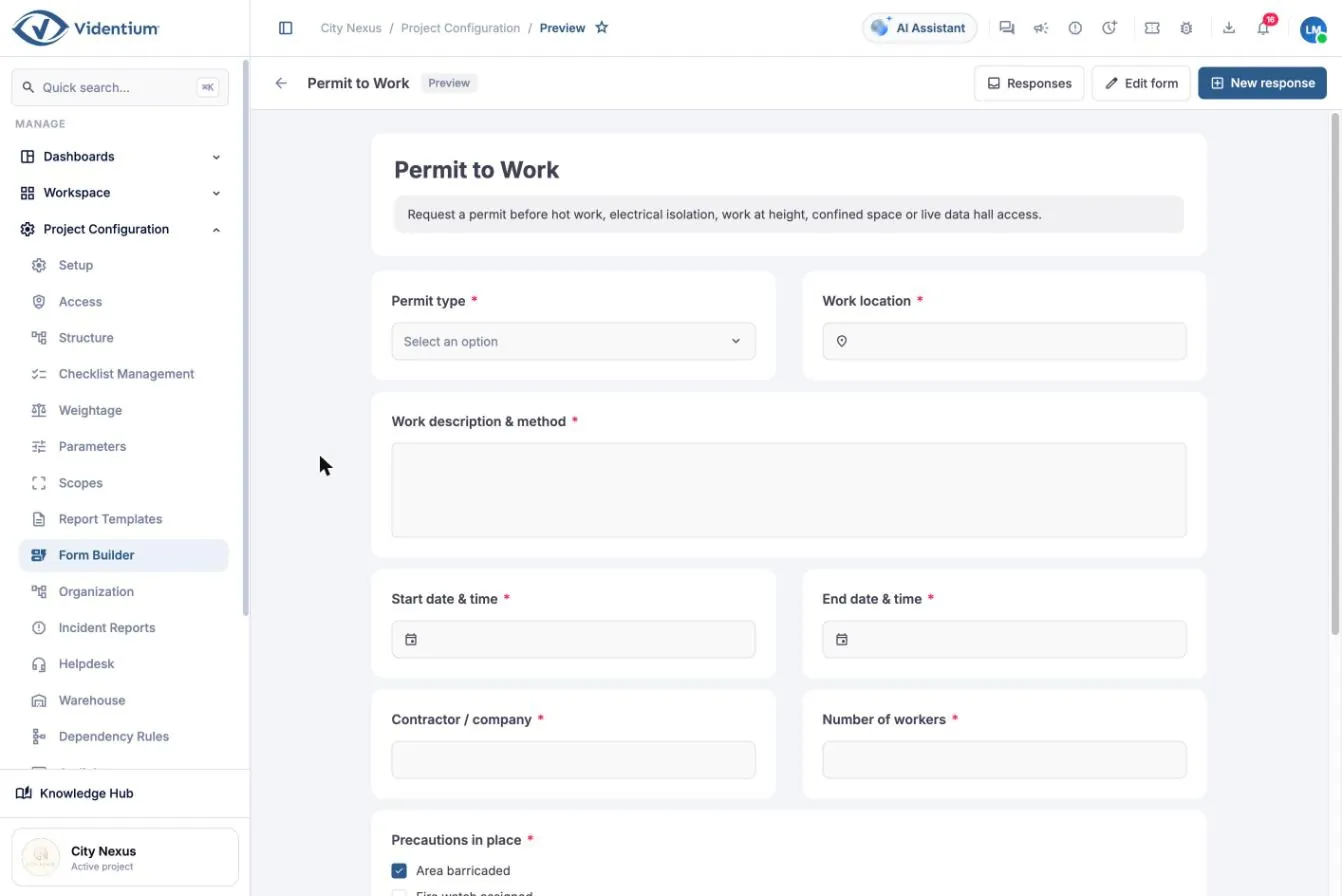
  • Examples: permit to work, daily site diary, toolbox talk attendance, HSE observation, visitor induction
  • Custom trackers that appear in the workspace menu
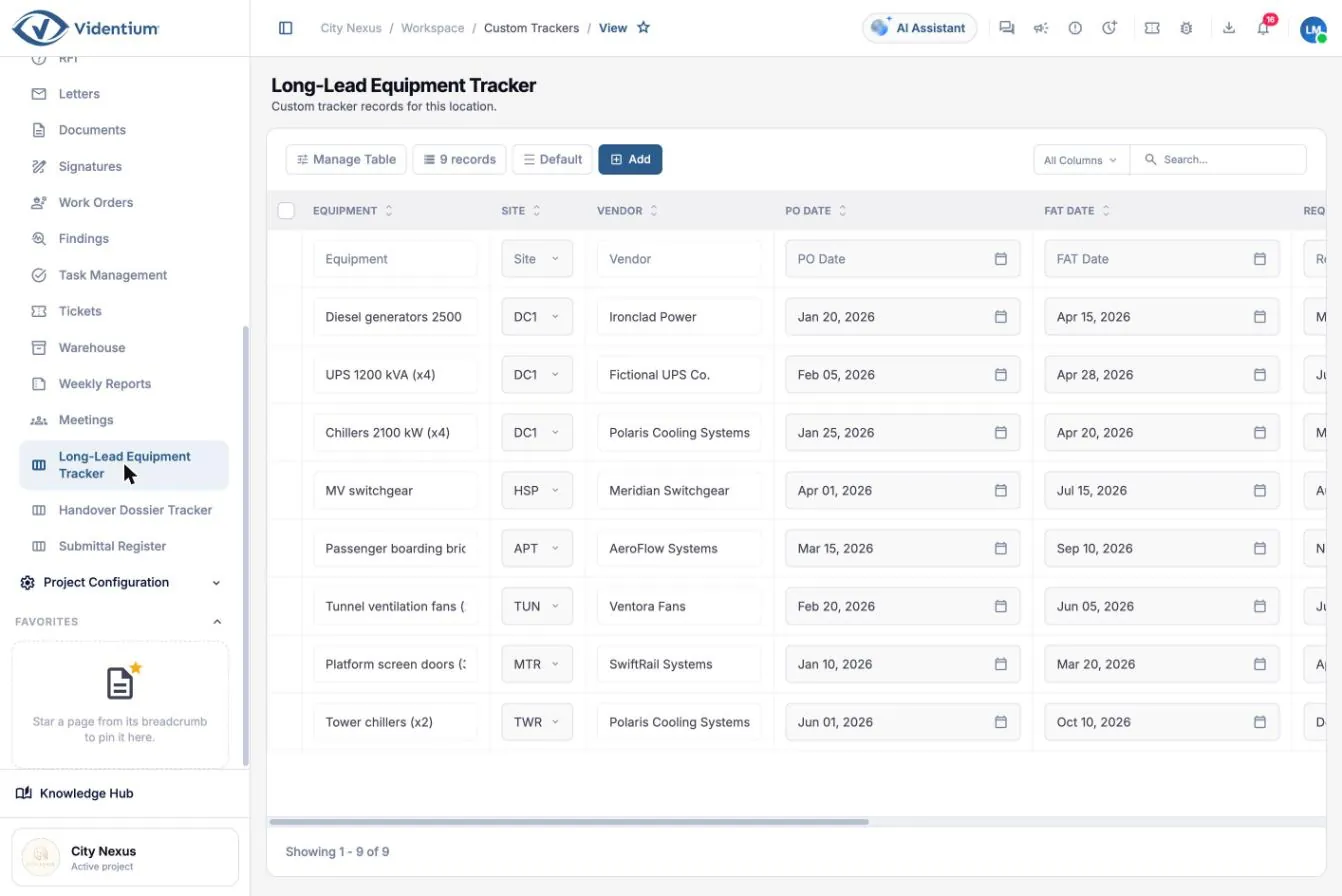
  • Examples: long-lead equipment, handover dossier, submittal register

Why it matters. A digital permit cannot be issued with missing precautions, runs through its defined workflow and is visible to everyone on site.

Form builder listing digital forms
Form builder. Open full size (opens in a new tab)
Permit to work digital form with required fields and signature
A permit to work form. Open full size (opens in a new tab)
Custom tracker with purchase order, factory test and required-on-site dates
Long-lead equipment tracker. Open full size (opens in a new tab)
Platform

Dashboards and reporting

A one-page view for management, and separate views for each audience.

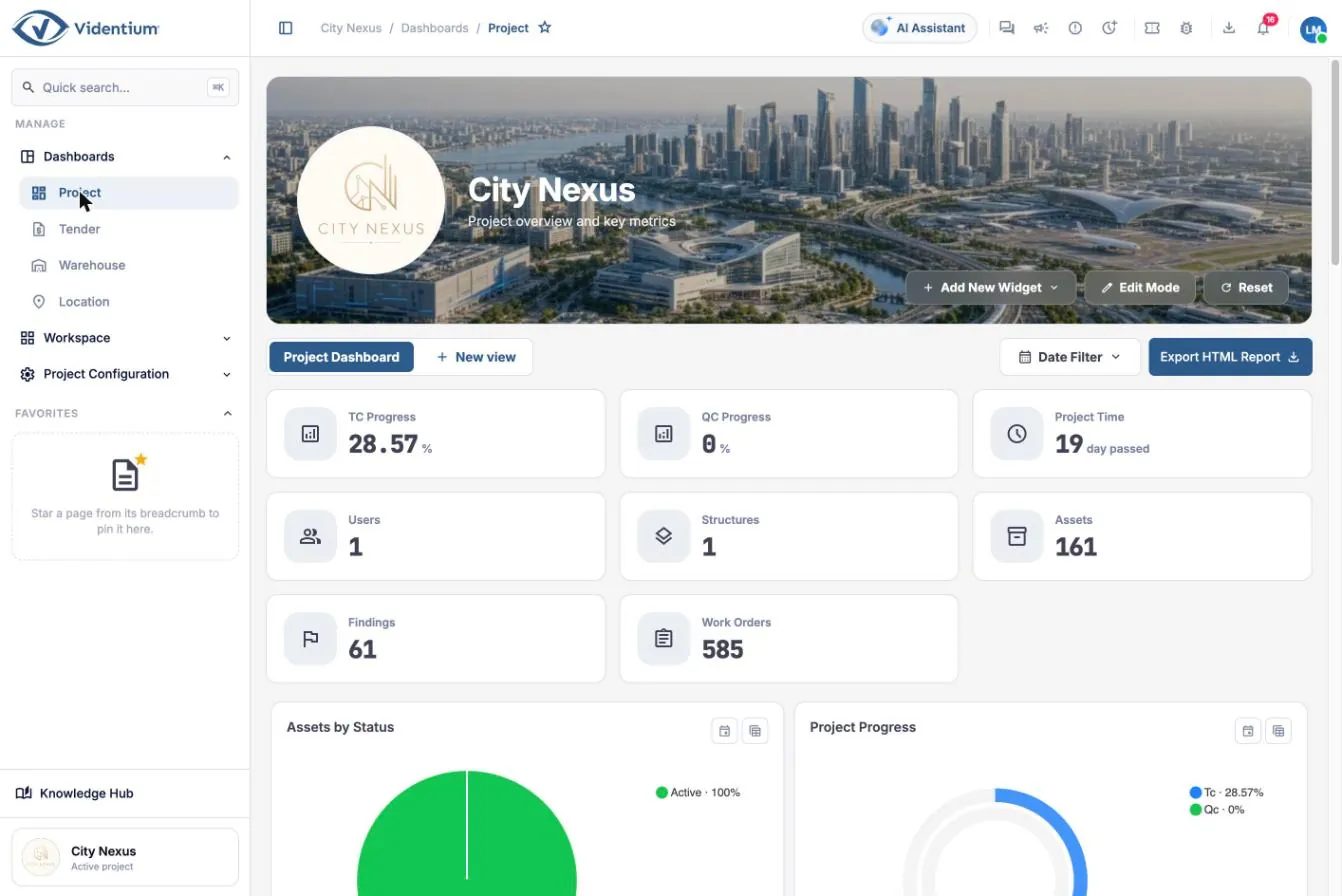
  • Project dashboard: testing and quality progress, time, users, structures, assets, findings, work orders
  • Ready-made widgets by category: progress, assets, findings, work orders, tickets, planning, warehouse, meetings
  • Edit mode to move, resize and duplicate widgets; multiple views per audience
  • Date filter and HTML report export
  • Location and warehouse dashboards

Why it matters. Reviewing the dashboard weekly lets the coordination meeting act on overdue items and critical findings first instead of collecting status by email.

Project dashboard showing progress, assets, findings and work order figures
Project dashboard: key figures. Open full size (opens in a new tab)
Project dashboard chart widgets
Chart widgets on the project dashboard. Open full size (opens in a new tab)
Warehouse dashboard
Warehouse dashboard. Open full size (opens in a new tab)
Platform

Everywhere you work

A web workspace for the office and mobile apps for the field.

  • Web workspace, plus mobile apps from the App Store and Google Play
  • Quick search across pages and records, and pinned favourites
  • Consistent tables: choose columns, save views, filter, search, export to Excel and import in bulk
  • Screen lock with PIN after inactivity
  • AI Assistant in the workspace and a built-in Knowledge Hub
  • Notifications, chat and announcements

Why it matters. Fast navigation and consistent tables mean people spend their time on the work, not on finding it.

Asset register showing the common table toolbar
Consistent tables across the workspace. Open full size (opens in a new tab)

Progress that stays honest.

Testing is cumulative and weighted. Higher levels take more effort and prove more, so a project that has finished every installation check is far from forty percent done. Weighting keeps the reported figure true.

Five commissioning levels with an example weighting. Weights are configurable for each project.
  1. L110%
  2. L220%
  3. L320%
  4. L430%
  5. L520%
L1 Factory acceptance test
Built to specification at the factory; delivered undamaged with certificates.
L2 Installation verification
Installed correctly on site: fixings, connections, labelling, clearances.
L3 Pre-functional and start-up
Energised and started safely; rotation, readings and set-points checked.
L4 Functional performance test
Performs to design in all operating modes, alarms and fail-safes.
L5 Integrated systems test
All systems work together, for example utility failure, generators, UPS and cooling recovery.

How progress is calculated

  1. Answers
  2. Checklist
  3. Commissioning level
  4. Asset
  5. Structure branch
  6. Project

Worked example. An air handling unit has L1 (10%) and L2 (20%) complete, and L3 (20%) half done. Its testing progress is 10 + 20 + 10 = 40%. The project figure is the weighted average of all assets, using the weightage set you choose.

From draft to approved, with an audit trail.

Every inspection, test and maintenance task moves through the same lifecycle. Approved work counts towards progress; an approved result can be reopened with a reason if a re-test is needed.

  1. Draft

    Created automatically from assignment or by hand, and being prepared.

    Planner
  2. Open

    Assigned to a person or team with a planned date.

    Planner or supervisor
  3. In progress

    Work has started and the checklist is being answered.

    Engineer or technician
  4. Submitted

    Sent for review and entering the approval workflow.

    Engineer
  5. Approved

    Accepted by all reviewers; progress is counted.

    Reviewers

Rollback: an authorised user reopens an approved work order with a recorded reason.

Built for the field.

A web workspace for the office and mobile apps for the field.

Connected to the systems you already run.

Custom API support and governed data exchange connect the systems you choose to the shared project context. Interfaces and availability are agreed per implementation.

  • Planning
  • BIM and design
  • Documents
  • Enterprise systems
  • Operational technology

Examples named in company materials: Primavera P6, Autodesk Revit, IBM Maximo, SAP, Oracle NetSuite, Oracle Aconex, Procore, Microsoft Office, AWS IoT, Honeywell, Siemens, COMOS. Product names belong to their owners and are shown as text only; availability is agreed per implementation.

See the capabilities on your own process.

Bring a sample inspection, workflow or document type and we will walk through it in the product.

Plan your walkthrough